

Best Monitor Arms for Standing Desks
Your Ultimate Guide to Monitor Arms for Standing Desks
A standing desk gives you the freedom to change positions throughout the day, but your monitor needs to move with you. If your screen stays too low when you’re standing or too high when you’re sitting, you’ll likely end up with neck strain, sore shoulders, and poor posture that cancels out many of the ergonomic benefits of a height-adjustable desk.
That’s where a quality monitor arm makes a noticeable difference. Instead of relying on a fixed monitor stand, a monitor arm lets you raise, lower, extend, tilt, and rotate your display with minimal effort. More importantly, it keeps your monitor aligned with your eyes whether you’re sitting for focused work or standing during meetings, coding sessions, or long hours of editing.
Not every monitor arm is designed for a standing desk, though. Electric desks introduce movement every time you change height, and that movement can expose weaknesses in cheaper monitor arms. Arms with poor tension systems may drift over time, wobble during adjustments, or struggle to support heavier monitors and ultrawide displays.
This guide focuses on monitor arms that perform well on standing desks. Rather than simply comparing specifications, we’ll explain how each model performs in real-world use, who it’s best suited for, and whether it’s worth spending more for premium construction.
- 3 products compared on the same points
Our top picks
Editor’s choice
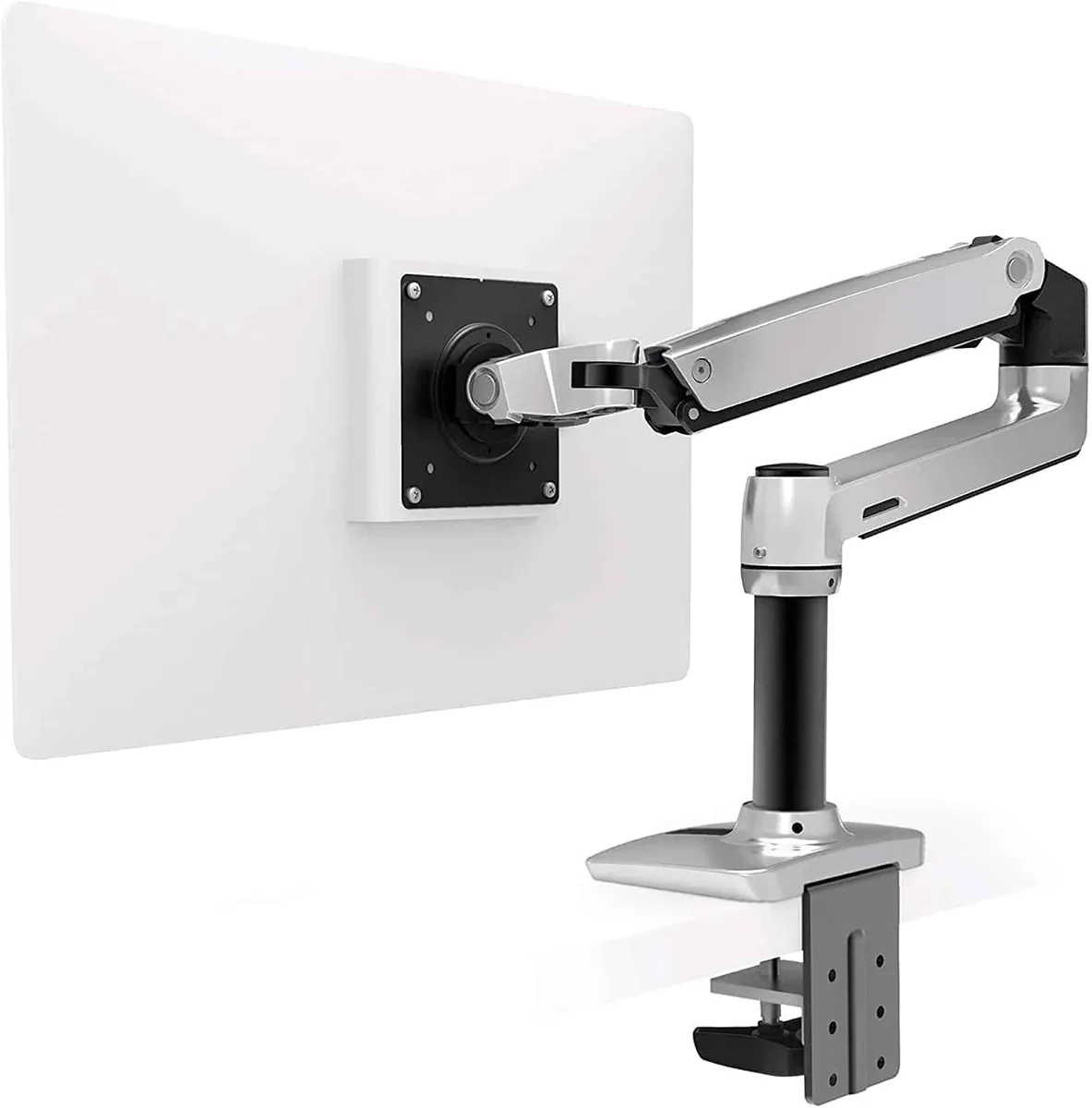
Best Overall
Ergotron LX Premium Monitor Arm
An exceptionally durable gas spring monitor arm that offers smooth movement, outstanding stability, and one of the best long-term warranties available. It's an excellent choice for most standing desk users.
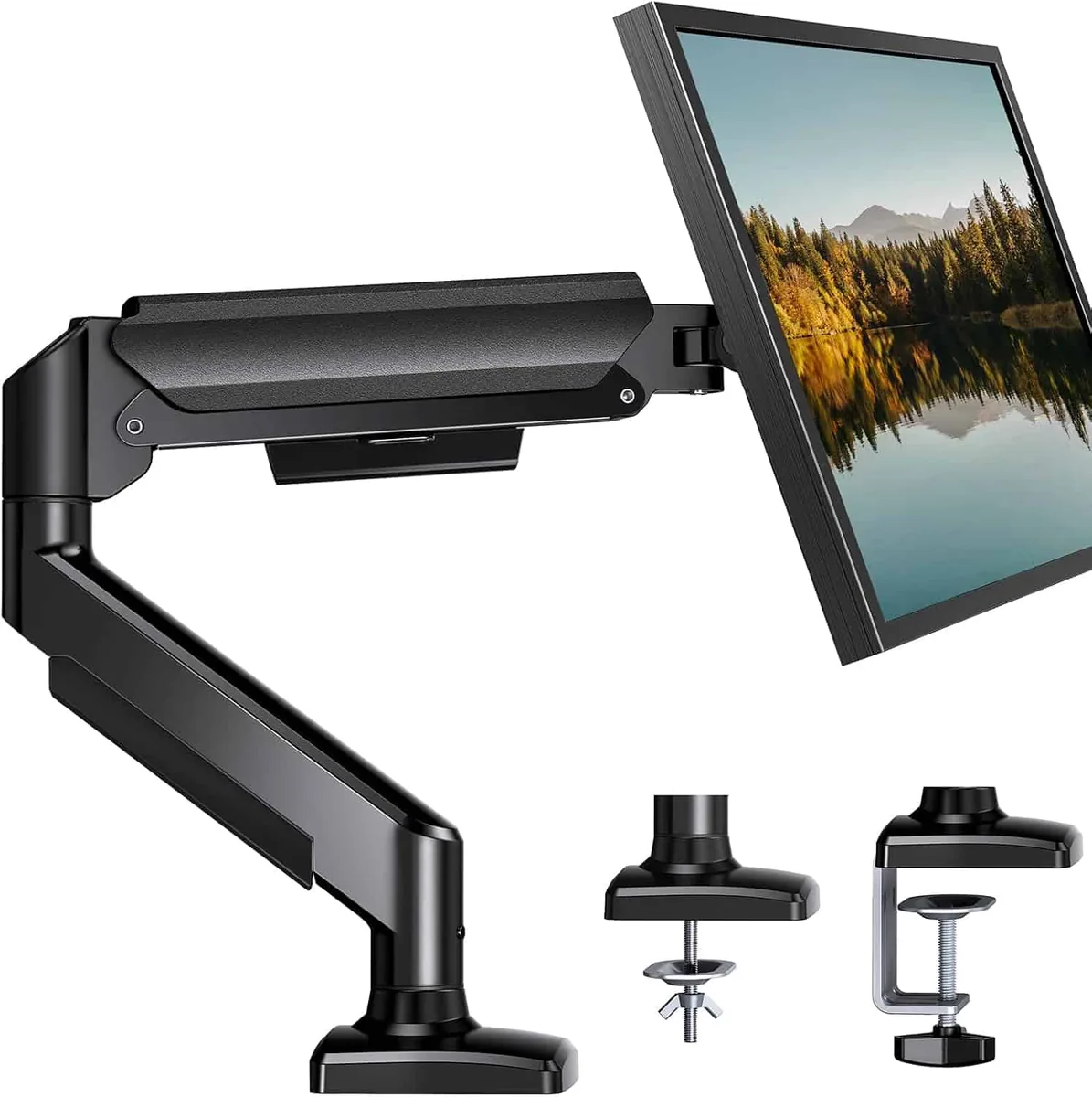
Best Budget
HUANUO Single Gas Spring Monitor Arm
A surprisingly capable budget-friendly option that delivers smooth adjustment, solid build quality, and excellent value for home offices without sacrificing everyday usability.
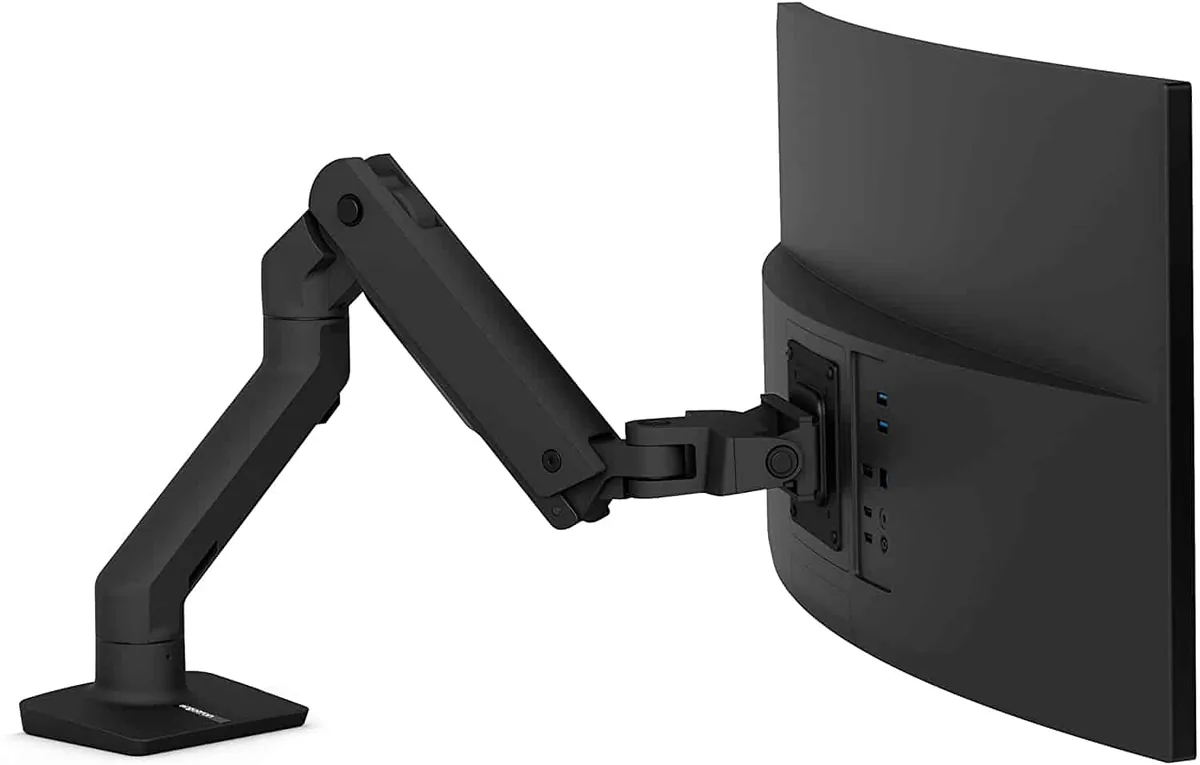
Best Heavy-Duty
Ergotron HX Heavy Duty Monitor Arm
Designed for large monitors and ultrawide displays, the HX provides the strength and stability needed for heavier setups while maintaining effortless adjustment.
Compared at a glance
| Photo | Model | Best for | What stands out | Buy |
|---|---|---|---|---|
| Ergotron LX Premium Monitor Arm | Best Overall | Made with sturdy materials |
$199.99 Check price |
|
| HUANUO Single Gas Spring Monitor Arm | Best Budget | Outstanding value for money |
$39.99 Check price |
|
| Ergotron HX Heavy Duty Monitor Arm | Best Heavy-Duty | Budget-friendly price |
$326.99 Check price |
Every pick reviewed
#1 Best Overall
Ergotron LX Premium Monitor Arm
The Ergotron LX has earned its reputation over many years because it focuses on the fundamentals that matter most.
It moves smoothly, stays exactly where you position it, and continues performing reliably after years of daily adjustments.
While many monitor arms feel excellent during the first few weeks, some develop sagging joints or inconsistent gas spring tension over time.
The LX has consistently demonstrated long-term durability in demanding office environments, making it one of the safest investments if you expect to keep your standing desk for years.
Installation is straightforward using either the included desk clamp or grommet mount.
Once installed, the arm offers generous height adjustment, extension, tilt, swivel, and full 360-degree rotation. This flexibility makes it easy to switch between portrait and landscape orientation or reposition your monitor when collaborating with coworkers.
One of the LX’s biggest strengths is its smooth gas spring mechanism. Raising or lowering your monitor requires very little effort, which becomes especially valuable on a standing desk where you’ll likely adjust both desk height and monitor position throughout the day.
The movement feels controlled rather than loose, allowing you to make precise ergonomic adjustments without constantly tightening joints.
Cable management is integrated into the arm, helping reduce cable clutter while preventing cords from snagging during height adjustments. This creates a cleaner workspace and minimizes stress on power and display cables.
The LX supports a wide range of monitor sizes, making it suitable for everything from compact office displays to many 34-inch ultrawide monitors, provided they fall within the recommended weight limits.
Before purchasing, it’s worth checking your monitor’s weight without the factory stand to ensure compatibility.
What we like
- Made with sturdy materials
- Easy to use and store
- Can carry up to 25 lbs
What we don’t
- Taller individuals might want to use the Tall Pole version instead
- Clips for cable organization may not be enough for some
$199.99
Check price on Amazon Opens in a new tab · we may earn a commission
#2 Best Budget
HUANUO Single Gas Spring Monitor Arm
Not everyone needs to spend premium money to improve their workspace. The HUANUO Single Gas Spring Monitor Arm has become one of the most popular choices because it delivers many of the features people actually use every day at a much lower price.
The arm supports standard VESA mounting patterns and includes both clamp and grommet installation options, making it compatible with most standing desks. Assembly is relatively simple, and most users can complete installation within half an hour using the included hardware.
Its gas spring mechanism allows smooth vertical adjustment, although the movement isn’t quite as refined as premium models.
For occasional adjustments between sitting and standing, however, the difference is surprisingly small. Once properly tensioned for your monitor’s weight, the arm generally stays in position without noticeable drifting.
Build quality exceeds expectations for the price. While more plastic components are used compared to premium competitors, the steel frame feels sturdy enough for everyday office use.
Integrated cable routing also helps keep your desk organized, although the cable channels aren’t quite as polished as higher-end alternatives.
This monitor arm is best suited for displays up to around 32 inches within its supported weight range. It’s an excellent option for students, remote workers, and anyone building a home office on a budget.
Its biggest limitation becomes apparent with heavier professional monitors or frequent repositioning throughout the day. The joints don’t feel quite as refined under constant use, but for typical office work, it represents excellent value.
What we like
- Outstanding value for money
- Smooth gas spring adjustment
- Simple installation
- Compatible with most standing desks
- Good cable management
What we don’t
- More plastic components than premium models
- Less refined movement under heavier loads
- Not ideal for very large ultrawide monitors
$39.99
Check price on Amazon Opens in a new tab · we may earn a commission
#3 Best Heavy-Duty
Ergotron HX Heavy Duty Monitor Arm
Large monitors continue to grow in popularity, particularly among programmers, video editors, financial professionals, and gamers.
While these displays improve productivity by reducing the need for multiple monitors, they also introduce significantly more weight and leverage than standard office displays. That’s exactly the problem the Ergotron HX is built to solve.
The HX is engineered to support larger monitors without sacrificing stability. Even when paired with a heavy 49-inch super ultrawide display, the arm maintains controlled movement and remains firmly positioned once adjusted.
This stability becomes especially valuable on electric standing desks, where raising or lowering the desk can amplify vibrations through less rigid monitor arms.
Movement feels exceptionally smooth despite the increased lifting capacity. The gas spring system is carefully tuned for heavier displays, allowing precise height adjustment while preventing sudden drops or unwanted movement.
Once positioned, the monitor stays exactly where you leave it, reducing the need for constant readjustment.
Construction quality is outstanding. The aluminum frame feels rigid throughout its entire range of motion, and the joints remain tight without restricting movement.
Integrated cable management keeps thick DisplayPort, HDMI, USB, and power cables neatly organized, which can otherwise become difficult with larger monitor setups.
Although the HX commands a premium price, it’s often far less expensive than replacing an inadequate monitor arm that can’t properly support an expensive ultrawide display.
For anyone investing in a high-end monitor, the additional cost is usually justified by the improved stability, smoother adjustments, and long-term durability.
What we like
- Budget-friendly price
- Smooth adjustment
- Easy installation
What we don’t
- Max. weight capacity is only 14.3 lbs.
$326.99
Check price on Amazon Opens in a new tab · we may earn a commission
So, which one should you buy?
Final Note
A standing desk is one of the best upgrades you can make for your workspace, but it reaches its full potential only when the rest of your setup supports healthy posture. A monitor arm allows your screen to move with you, making it easier to maintain comfortable viewing angles whether you’re sitting, standing, or switching between the two throughout the day.
Choosing the right monitor arm isn’t simply about supporting your monitor. It’s about creating a workspace that adapts naturally to the way you work every day.
Frequently Asked Questions
Are Expensive Monitor Arms Worth the Money?
If you’re shopping for monitor arms, you’ve probably noticed that prices range from under $30 to well over $300. At first glance, many of them appear similar. They all promise height adjustment, VESA compatibility, and ergonomic positioning, so it’s natural to wonder whether premium models are actually worth the extra investment.
The biggest difference isn’t found in the feature list. It’s in how those features perform over the years of daily use.
Premium monitor arms use higher-quality gas spring cylinders, tighter manufacturing tolerances, stronger internal joints, and more durable materials such as aluminum rather than thin stamped steel or plastic. The result is smoother movement, more consistent tension, and better stability when supporting heavier monitors.
If you adjust your monitor several times each day while switching between sitting and standing, these differences become noticeable very quickly. A premium arm continues moving smoothly without drifting downward or requiring constant retightening. Less expensive models often work well initially but may develop sagging joints or uneven movement after prolonged use.
That doesn’t mean everyone needs a premium monitor arm. If you use a lightweight 24-inch or 27-inch monitor, rarely reposition it, and simply want to free up desk space, a well-reviewed budget option like the HUANUO offers excellent value.
On the other hand, if you’ve invested hundreds or even thousands of dollars in a standing desk and professional monitor, spending more on a quality monitor arm helps protect that investment. Better stability reduces vibration during desk movement, smoother adjustments encourage healthier ergonomics, and higher build quality often translates into many years of reliable service.
Ultimately, the best value comes from matching the monitor arm to your workspace rather than automatically choosing either the cheapest or the most expensive option.
Will a monitor arm make my standing desk wobble?
A monitor arm doesn’t create wobble by itself, but it can amplify movement that’s already present. Heavy monitors mounted on long extension arms place additional leverage on the desktop. Choosing an arm with a shorter extension, using a grommet mount when possible, and keeping the monitor close to the center of the desk can all improve stability.
How do I know if my monitor is compatible?
Check two specifications before purchasing. First, verify that your monitor supports either the 75 × 75 mm or 100 × 100 mm VESA mounting standard. Second, confirm that the monitor’s weight without its original stand falls within the monitor arm’s supported weight range. Both requirements must be met for proper operation.
Are monitor arms safe for particleboard or MDF desks?
They can be, provided the desk is structurally sound and the manufacturer allows clamp mounting. Thicker desktops generally distribute pressure more effectively than thin particleboard surfaces. If you’re concerned about compression, placing a reinforcement plate between the clamp and the desktop can help spread the load more evenly.
Can a monitor arm support an ultrawide monitor?
Yes, but monitor size alone doesn’t determine compatibility. Weight is the most important specification. Many 34-inch ultrawide displays work perfectly with standard premium monitor arms, while larger 49-inch super ultrawide monitors often require heavy-duty models such as the Ergotron HX.
Is one dual monitor arm better than using two single monitor arms?
It depends on your workspace. Dual monitor arms create a cleaner installation and reduce hardware on the desk. However, two independent single monitor arms usually provide greater positioning flexibility and often distribute weight more evenly across the desktop. Many professionals who regularly reposition their displays prefer two separate arms for this reason.
How high should my monitor be when standing?
A good starting point is to position the top of the screen at or just below eye level while standing naturally with relaxed shoulders. Your eyes should look slightly downward toward the center of the display rather than upward. Small adjustments based on your height, monitor size, and viewing distance can further improve comfort during long work sessions.
Are gas spring monitor arms maintenance-free?
Most quality gas spring monitor arms require very little maintenance beyond occasional cleaning. If the monitor begins drifting after changing displays, adjusting the spring tension usually restores proper balance. Premium gas spring systems are designed to maintain consistent performance for many years under normal use.