How to Prevent Back Pain While Working
Table of Contents
Back pain while working isn’t just a posture issue. It’s the result of how your body interacts with your environment over hours of repetition. Most people try to fix it by sitting straighter or buying a better chair, but the problem usually runs deeper.
Preventing back pain requires understanding what’s happening inside your body while you work, how your setup influences it, and how small daily habits either reduce or increase strain over time.
Why You Get Back Pain From Sitting
Spinal Compression and Pressure
When you sit, your spine carries more pressure than when you stand. This might seem counterintuitive, but sitting shifts your body weight in a way that increases load on your lower back, particularly the lumbar discs.
Over time, this constant compression reduces the spine’s ability to absorb shock and maintain flexibility. The longer you stay in one position, the more this pressure builds, especially if your posture isn’t properly aligned.
This is why even a comfortable chair can start to feel painful after long hours. The issue isn’t comfort. It’s sustained pressure without relief.
Muscle Inactivity and Fatigue
Your muscles are designed to support your spine dynamically. When you sit for long periods, key stabilizing muscles, especially in your core and lower back, become inactive. This creates a dependency on passive structures like ligaments and spinal discs. These structures aren’t meant to handle prolonged load on their own, which leads to fatigue and discomfort.
As muscles weaken or disengage, your body compensates by shifting posture, often into positions that increase strain rather than reduce it.
Poor Posture Patterns Over Time
Posture isn’t a single position. It’s a pattern that develops through repetition. If you consistently lean forward, round your shoulders, or tilt your pelvis incorrectly, your body adapts to that position. Muscles tighten in some areas and weaken in others, creating imbalances that make back pain more likely.
Over time, even small deviations become your default posture, which makes correcting them feel unnatural and uncomfortable.
How to Sit Without Back Pain (Correct Posture Explained)
Spine Alignment and Neutral Position
A neutral spine maintains the natural curve of your lower back without excessive arching or flattening. This position distributes pressure evenly and reduces strain on any single part of the spine.
Sitting without back pain starts with awareness of this alignment. Your goal isn’t to sit perfectly upright at all times, but to avoid collapsing into positions that overload your lower back.
Pelvic Positioning and Lumbar Support
Your pelvis acts as the foundation of your sitting posture. If it tilts backward, your lower back flattens and loses its natural curve, increasing pressure on spinal discs. Proper lumbar support helps maintain this curve, but it only works if your pelvis is positioned correctly. Without that foundation, even the best ergonomic chair won’t solve the problem.
Arm and Shoulder Positioning
Your upper body plays a bigger role in back pain than most people realize. If your arms are too high or too low, your shoulders compensate by lifting or rounding forward. This tension travels down your back, increasing strain over time. Keeping your arms supported and aligned with your desk height helps reduce unnecessary load on your spine.
Office Ergonomics and Back Pain: Fixing Your Setup

Desk Height and Elbow Alignment
Your desk height should allow your elbows to rest at about a 90-degree angle. If the desk is too high, your shoulders lift. If it’s too low, you lean forward. Both scenarios create strain that builds throughout the day. Proper alignment keeps your upper body relaxed and reduces tension that contributes to back pain.
Monitor Height and Viewing Distance
Your monitor should be at eye level and positioned at a comfortable distance. Looking down for extended periods encourages forward head posture, which shifts weight onto your spine. Even small adjustments here can significantly reduce strain over long work sessions.
Keyboard and Mouse Placement
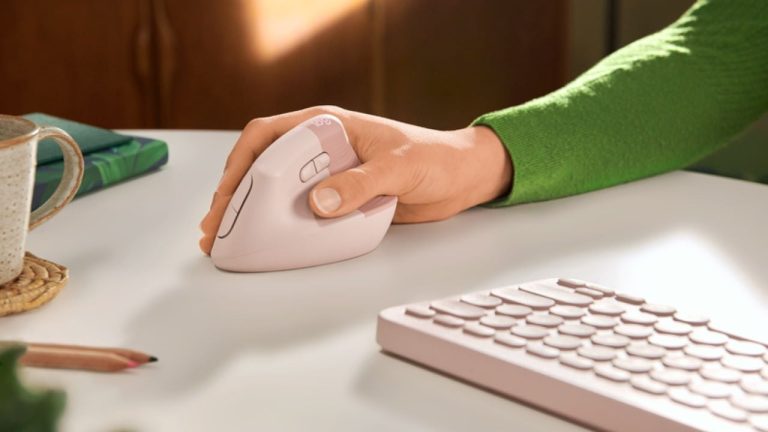
Your keyboard and mouse should be positioned so that your arms remain close to your body. Reaching forward or outward increases tension in your shoulders and upper back. This tension often translates into lower back discomfort as your body compensates for an imbalance.
Best Position to Sit at a Desk for Long Hours
There isn’t a single “perfect” sitting position that eliminates back pain completely. The best position is one that allows movement and variation without putting excessive strain on your spine.
A slightly reclined posture can reduce spinal pressure compared to sitting fully upright. Supporting your lower back while keeping your feet flat on the floor creates a stable base. The goal is not to hold one position indefinitely but to create a setup that allows small adjustments throughout the day without discomfort.
Standing Desk and Back Pain: What Most People Get Wrong
Standing desks are often seen as a solution to sitting-related back pain, but they introduce their own challenges. Standing for long periods without movement can lead to muscle fatigue and discomfort, especially in the lower back and legs. The issue isn’t standing itself, but static standing without variation.
The most effective approach is alternating between sitting and standing. This reduces continuous load on any one part of the body and promotes circulation. Proper standing posture also matters. Leaning on one leg or locking your knees can create new forms of strain that replace the original problem.
Preventing Lower Back Pain in a Desk Job Long Term
Movement Patterns and Breaks
Your body isn’t designed to stay still for hours. Regular movement helps reduce spinal pressure and keeps muscles engaged.
Short breaks every 30 to 60 minutes can reset your posture and reduce accumulated strain. These don’t need to be long or disruptive. Even standing, stretching, or walking briefly can make a difference.
Muscle Engagement and Core Stability
A strong core supports your spine more effectively during long periods of sitting. Without this support, your body relies on passive structures, which leads to fatigue and discomfort.
Improving core stability doesn’t require intense workouts. Consistent, low-intensity engagement throughout the day can help maintain better posture and reduce strain.
Habit Formation
Preventing back pain isn’t about making one perfect adjustment. It’s about building habits that support your body consistently. Small changes, like adjusting your chair before starting work or taking regular movement breaks, become more effective when they are repeated daily.
Over time, these habits create a working environment that naturally reduces strain without requiring constant effort.
How Different Work Setups Affect Back Pain

Laptop Users and Back Pain
Laptop users face a structural limitation that directly contributes to back pain. The screen and keyboard are fixed together, which forces a compromise between neck and arm positioning. If you keep the laptop at desk level, your arms are comfortable, but your neck bends downward, increasing strain on your upper and lower back over time.
Raising the laptop to eye level solves the neck issue, but creates a new problem. Your arms are now elevated without proper support, which leads to shoulder tension that travels down into your back. This imbalance is one of the most common causes of discomfort in laptop-based setups.
The only effective long-term solution is separating input and viewing positions. Using an external keyboard and mouse allows you to raise the screen while keeping your arms in a natural position. Without this adjustment, laptop users are constantly shifting between two imperfect positions, which accelerates fatigue and increases the likelihood of chronic back pain.
Remote Work Setups and Back Pain
Remote work introduces variability, and that variability often leads to inconsistent posture. Unlike traditional office environments, home setups are rarely optimized for long hours of work. Many people rotate between working at a desk, sitting on a couch, or using a dining table, which creates constantly changing body positions.
The issue here isn’t just poor posture in one position. It’s the lack of a stable, repeatable setup that supports proper alignment. Working from a couch, for example, encourages slouching and removes lower back support entirely. Dining tables are often too high or too low, forcing awkward arm and shoulder positioning.
Over time, these inconsistencies prevent your body from developing stable movement patterns. Instead of adapting to a supportive position, your muscles are constantly compensating for different environments. This leads to uneven strain and increases the likelihood of persistent back pain.
Creating a dedicated workspace, even a simple one, provides consistency. That consistency allows your body to maintain better alignment and reduces the need for constant compensation.
Office Workers and Back Pain
Office workers typically have access to better equipment, but that doesn’t eliminate back pain. In many cases, the issue shifts from poor setup to prolonged static positioning. Sitting in a well-designed chair for eight hours without movement still creates pressure and muscle fatigue.
Another factor is over-reliance on ergonomics. Having an ergonomic chair and desk setup can create a false sense of security, leading people to stay seated longer without adjusting their position. Even with proper alignment, the body still experiences compression and reduced circulation over time.
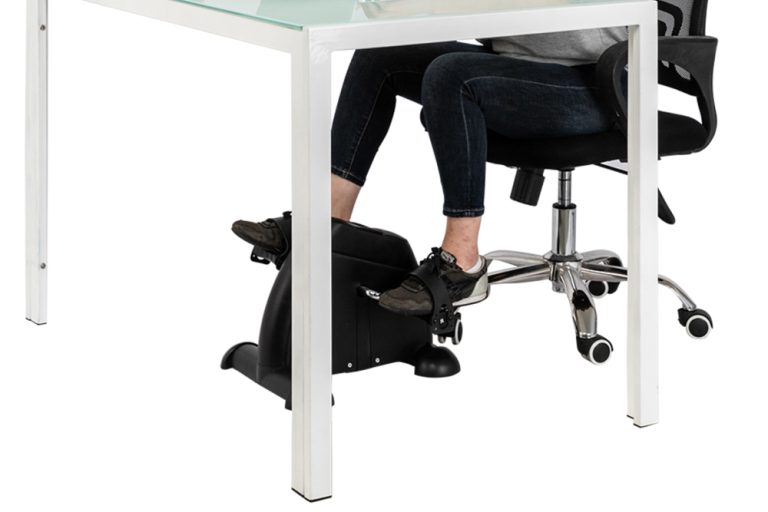
Office environments also tend to limit natural movement. Long meetings, focused work sessions, and structured schedules reduce opportunities to stand, stretch, or walk. This lack of movement compounds the effects of sitting, even in an optimized setup.
For office workers, the solution is not just improving ergonomics but integrating movement into the workday. Without that, even the best equipment cannot prevent back pain over the long term.
When Back Pain Means Your Setup Isn’t the Problem
Not all back pain comes from your workstation. Muscle imbalances, previous injuries, and overall physical conditioning can also play a role.
If you’ve optimized your setup and habits but still experience pain, the issue may require a broader approach that includes physical therapy or targeted exercises. Understanding this distinction prevents unnecessary adjustments and helps you focus on the real cause.
Frequently Asked Questions
Why does my back hurt even with good posture?
Good posture reduces strain, but it doesn’t eliminate the effects of staying in one position for too long. Static posture, even when correct, can still lead to muscle fatigue and discomfort.
Is standing better than sitting?
Standing reduces some forms of spinal pressure, but it’s not a complete solution. Alternating between sitting and standing provides better results than relying on one position.
How often should you move at work?
Moving every 30 to 60 minutes helps reduce strain and maintain circulation. The exact frequency depends on your workload and comfort level.
Can a chair fix back pain?
A chair can support better posture, but it can’t replace movement or correct underlying habits. It’s one part of a larger system.
Do standing desks cause back pain?
They can if used incorrectly. Standing without movement or proper posture can create new sources of discomfort.