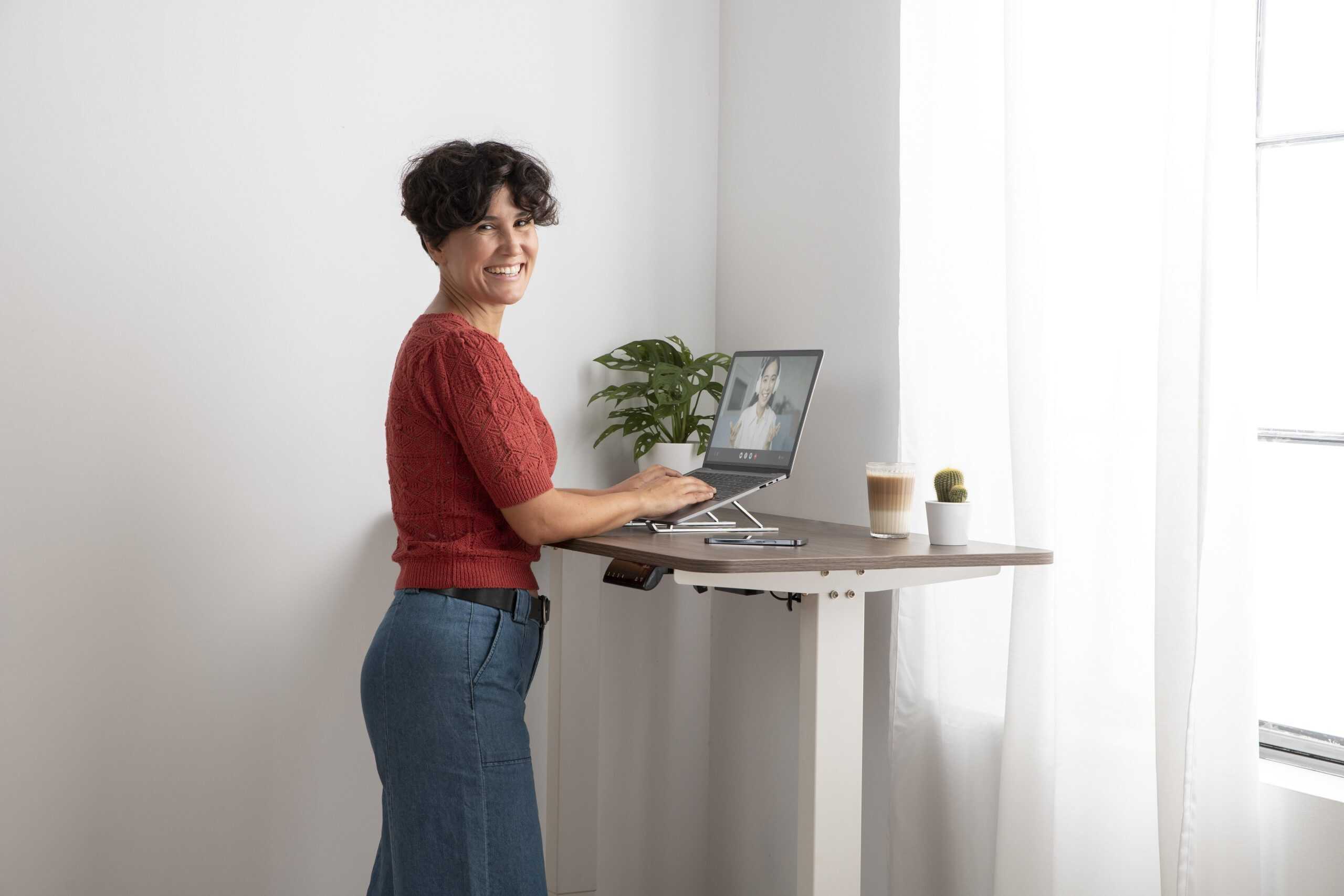
Standing desks have gone from niche ergonomic upgrade to mainstream workspace essential, and for good reason. More people now understand that the real problem is not simply sitting itself, but staying in any one position for too long. A good standing desk gives you the ability to move through your workday more naturally, switch between sitting and standing, and build a workstation that supports your body instead of fighting against it.
That is why sit-stand desks have become such an important part of modern ergonomic workspaces. Standing desks are a practical way to reduce back pain, muscle soreness, and poor posture, while also making it easier to create a more comfortable and productive setup.
This guide explains what standing desks are, how they work, who they are best for, what features matter most, how to set one up properly, and how to avoid the common mistakes that make people think standing desks “do not work.” If you are trying to decide whether a standing desk is worth it, or you want to understand the category before buying one, this page is designed to be your starting point.
What Is a Standing Desk?
A standing desk is a desk designed to let you work while standing. In practice, most people are better served by a sit-stand desk, which is a height-adjustable desk that can move up for standing and down for sitting. That flexibility matters because ergonomics experts consistently recommend changing positions throughout the day instead of staying seated or standing for hours at a time.
Some standing desks adjust electronically with motors, while others use manual cranks or counterbalance systems. There are also standing desk converters, which sit on top of an existing desk and raise your keyboard and monitor to standing height. All of them aim to solve the same problem: too much static desk time in one position.
Why Standing Desks Matter
For many office workers, the workday is built around long periods of uninterrupted sitting. Research has linked excessive sedentary time with higher risks of cardiometabolic problems, musculoskeletal discomfort, and other health concerns, which is why so many workplace ergonomics resources now focus on reducing continuous sitting rather than simply improving chair design alone. Sit-stand desks are one of the most practical ways to do that because they make posture changes easy and repeatable during the workday.
That does not mean standing all day is the answer. It is not. Prolonged standing can also lead to foot pain, calf fatigue, and joint discomfort if your setup or habits are poor. The goal is not to replace sitting with nonstop standing. The goal is to alternate, move, and create a workstation that supports better alignment and less static strain.
The Main Benefits of a Standing Desk
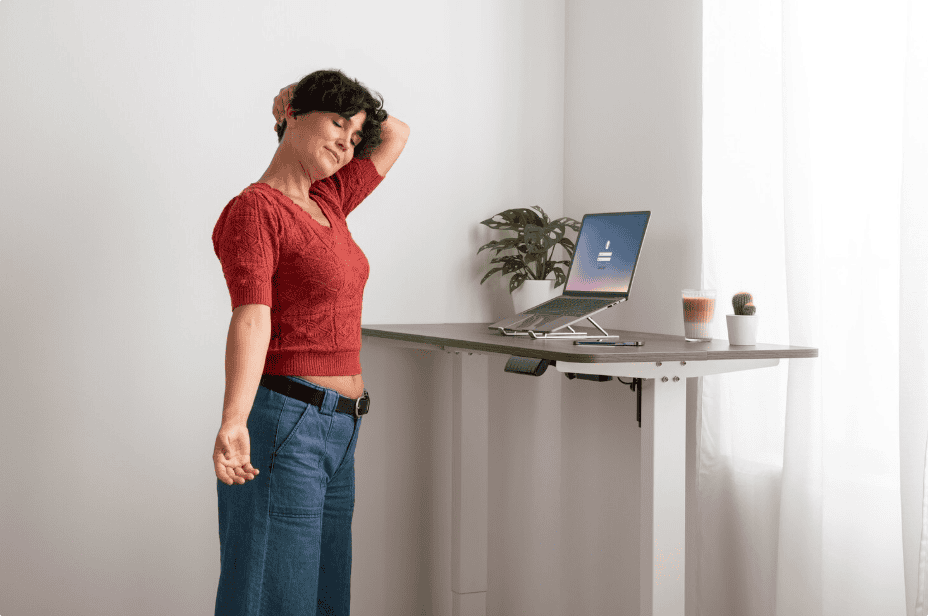
A standing desk can help reduce the amount of time you spend sitting in one place. That is often the biggest benefit. Many people buy a standing desk hoping for a miracle cure for back pain, but the biggest everyday advantage is simpler: it encourages movement. When your desk adjusts quickly, you are more likely to shift position, reset your posture, stretch, and break up long sedentary blocks.
For many users, that leads to better comfort. An adjustable desk can reduce the pressure that builds up from staying folded into a seated posture all day, especially around the lower back, hips, and shoulders. It can also make it easier to maintain more neutral monitor, keyboard, and mouse positions across different working postures when set up correctly.
Some users also notice better energy and focus when they have the option to stand during certain tasks. Mayo Clinic suggests that cognitive performance can improve or at least remain stable when users work while standing or moving, rather than being fully sedentary. That does not mean every task is better done on your feet, but it does support the idea that a more active workstation can fit productive desk work.
What a Standing Desk Will Not Do
A standing desk is helpful, but it is not magic. It will not automatically fix years of poor posture, weak glutes, tight hip flexors, a badly positioned monitor, or a chair that does not support your lower back. It also will not help much if you buy one and then leave it in the sitting position all the time.
Just as importantly, it is not healthy to swing too far in the opposite direction and stand for most of the day without variation. Prolonged standing can create a different set of problems, including foot soreness, calf fatigue, and lower-limb discomfort. That is why the best use of a standing desk is a balanced sit-stand routine, not an all-day standing challenge.
Types of Standing Desks
Electric Standing Desks
Electric standing desks use one or more motors to raise and lower the work surface with the push of a button. These are the most convenient options for people who want to switch positions often. They are especially useful in shared workspaces, for users with heavy dual-monitor setups, and for anyone who values presets, smoother transitions, and easier daily use.
In most cases, electric desks are the best fit for people who want a full-time sit-stand workstation. When you remove friction from the adjustment process, you are more likely to use the standing function consistently. That is one reason electric models dominate many of the best standing desk guides.
Manual Standing Desks
Manual standing desks usually adjust with a crank or other non-motorized mechanism. They are often more affordable, and they can still provide the ergonomic benefits of an adjustable workstation. The tradeoff is convenience. If height changes feel tedious, some users switch positions less often.
Standing Desk Converters
A standing desk converter sits on top of your existing desk and raises your display and keyboard area to standing height. This option works well for people who already own a desk they like, want a lower-cost entry point, or need a simple upgrade without replacing an entire workstation. Converters can be effective, but they tend to offer less usable space and a different feel than a full standing desk.
Fixed Standing Desks
A fixed standing desk stays at one height. This is the least flexible option and usually makes less sense for computer work unless it is paired with a stool or a second seated station. Because body comfort changes throughout the day, fixed-height desks are far less forgiving than adjustable models.
What to Look for in a Standing Desk
Height Range
The desk should adjust low enough for your seated posture and high enough for your standing posture. This sounds obvious, but it is one of the most important buying factors. Your elbows should be able to rest around working height in both positions, and the monitor should still land at a comfortable eye level once everything is set up.
Ergonomic guidance from OSHA and similar occupational health resources consistently centers around neutral arm, wrist, shoulder, neck, and screen placement.
Stability
A standing desk should feel solid at both low and high positions. Wobble becomes more noticeable when typing, leaning, using monitor arms, or raising the desk close to its maximum height. This matters even more for taller users and anyone using multiple monitors.
Weight Capacity
Check whether the desk can comfortably support your real setup, not just a laptop on a bare desktop. Monitors, arms, speakers, docking stations, lights, desk shelves, and accessories all add weight over time.
Desktop Size
A desk may look good in photos and still be wrong for your work style. Some people need space for dual monitors and paperwork. Others need only enough room for a laptop, keyboard, and mouse. The best desk size depends on how you actually work, not what looks impressive in a product listing.
Adjustment Speed and Noise
On electric desks, smoother and quieter movement makes daily use feel more polished. This may seem minor, but anything that makes transitions feel effortless increases the chance you will actually use the desk as intended.
Presets and Controls
Memory presets are especially valuable if you alternate frequently or share a desk with another person. Good controls make it easier to build a routine rather than guessing your preferred height each time.
Build Quality and Warranty
A standing desk is a moving piece of furniture. Motors, lifting columns, frames, and control units all matter. Strong warranty support and durable construction become more important the more often you plan to adjust the desk.
How to Set Up a Standing Desk Properly
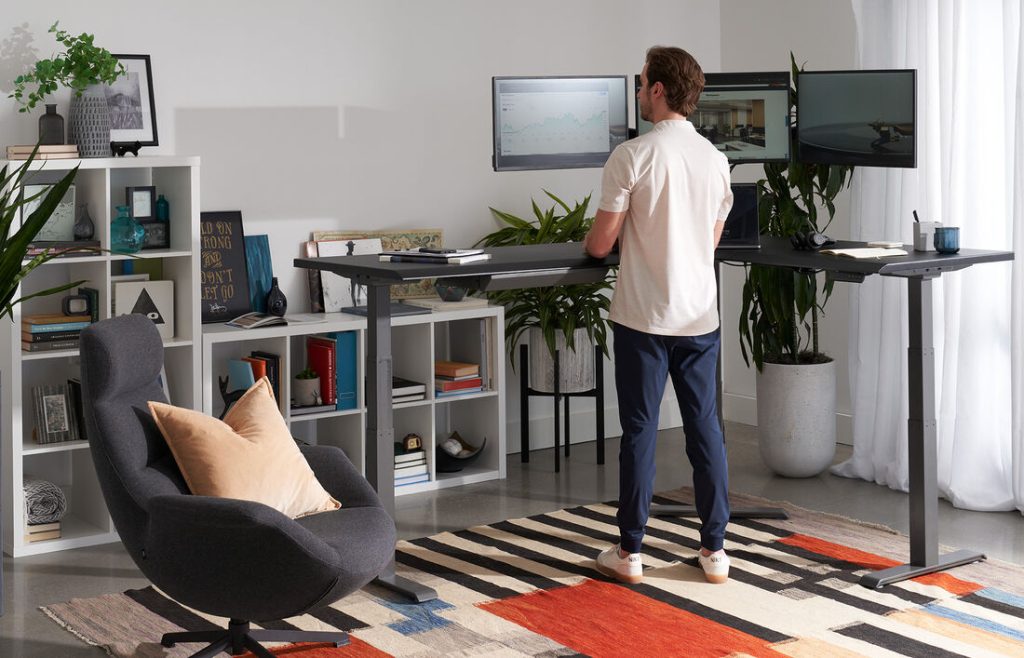
A standing desk only works as well as its setup. Even a premium model can feel terrible if your screen is too low, your keyboard is too high, or your wrists are bent awkwardly all day.
Start with desk height. Your keyboard and mouse should usually be around elbow height when your shoulders are relaxed and your upper arms stay close to your sides. Your wrists should remain straight rather than bent upward. OSHA guidance also recommends that your head stay balanced with your torso, your shoulders stay relaxed, and your hands and forearms remain in line.
Then adjust monitor position. The top of the monitor should generally sit at or just below eye level, depending on your screen size and visual comfort. If you use a laptop by itself, you may end up looking down too much, which is why an external keyboard and mouse are often essential for a proper standing desk setup.
Foot placement matters too. Your feet should feel supported and balanced. If you are standing, think less about “locking in” a perfect pose and more about staying mobile. Shift your weight, move your feet, and avoid freezing in place. If you are sitting, make sure your feet are supported by the floor or a footrest.
How Long Should You Stand at a Standing Desk?
There is no perfect universal formula, but most ergonomic guidance points in the same direction: alternate often, avoid extremes, and do not treat standing as an endurance test. Occupational ergonomics resources recommend regular posture changes and periodic movement away from the workstation rather than staying seated or standing without interruption for hours.
For most people, the best approach is to start small. Stand for short intervals during tasks that feel natural on your feet, such as email, video calls, admin work, or reading. Sit for tasks that require more fine motor precision or longer concentration if that feels better. Over time, you can build a rhythm that suits your body and workload.
A practical goal is not “stand more than you sit.” A better goal is “do not stay in one position for too long.” That mindset usually leads to healthier desk habits and a more sustainable routine.
Common Standing Desk Mistakes
Standing Too Much
One of the biggest mistakes is standing too much, too soon. People buy a new desk, assume standing is automatically healthier, and try to spend most of the day upright. That often leads to sore feet, tired calves, or lower back fatigue, which makes the desk feel like a bad purchase. In reality, the problem is usually poor pacing, not the desk itself.
Having the Wrong Monitor Height
Another common mistake is ignoring monitor height. If your monitor sits too low, you will crane your neck downward whether you are sitting or standing. If it sits too high, you may lift your chin and create upper back and shoulder tension. The same goes for keyboard and mouse placement. If your elbows flare out or your wrists bend sharply, discomfort builds fast.
Neglecting Footwear and Flooring
Footwear and flooring are also underestimated. Hard floors and unsupportive shoes can make standing unpleasant, even when the desk height is perfect. Many users improve comfort by adding an anti-fatigue mat, a useful companion product for reducing soreness during standing periods.
Ignoring Other Ergonomic Factors
Finally, some people focus entirely on the desk and ignore the rest of the ergonomic ecosystem. A standing desk works best when it is paired with the right chair, monitor arm, keyboard position, and daily movement habits.
Who Should Buy a Standing Desk?
A standing desk can make sense for office workers, remote workers, gamers who use their setup for productivity, and anyone who spends long stretches at a computer. It is especially useful for people who feel stiff after sitting for too long, want more flexibility in their work posture, or are trying to build a more ergonomic workspace around comfort and movement.
It is also a strong option for people sharing one workstation. Because adjustable desks can fit different body sizes more easily than fixed-height desks, they make it simpler to support multiple users. Adjustability is a key factor in matching the workstation to the worker rather than forcing the worker to adapt to a bad fit.
That said, users with existing pain issues, circulation concerns, or medical conditions may need a more tailored approach. A standing desk can be part of a better setup, but it is still important to listen to your body and, when needed, seek individual clinical advice.
Standing Desk vs Standing Desk Converter
If you are deciding between a full standing desk and a converter, the right choice usually depends on budget, space, and how committed you are to a sit-stand setup.
A full standing desk usually feels more integrated. It gives you a completely adjustable surface, cleaner cable management, and more freedom in how you place monitors, accessories, and work materials. It is typically the better long-term solution for people building a full ergonomic workstation.
A converter is easier to add to an existing setup and often costs less upfront. It is a good entry point if you want to test the sit-stand lifestyle or cannot replace your current desk yet. The tradeoff is that converters can feel more limited in desktop real estate and aesthetics, and some are less seamless to use over a full workday.
Best Accessories to Pair With a Standing Desk
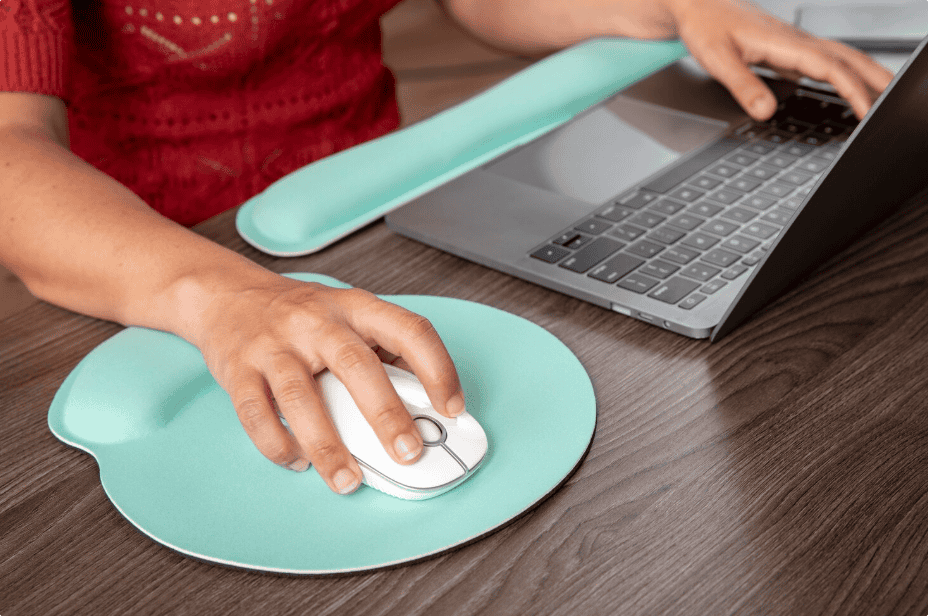
A standing desk becomes much more effective when you build around it properly.
- An anti-fatigue mat can make standing periods more comfortable and reduce the sense of fatigue that comes from hard flooring. It’s a natural companion to a sit-stand desk for relieving tension and soreness.
- A monitor arm helps you place the screen at the right height in both sitting and standing modes. This is one of the easiest ways to avoid neck strain.
- A supportive ergonomic chair still matters. A standing desk is not a replacement for good seated posture. Since you should still be sitting for part of the day, your chair remains a major part of the setup.
- An external keyboard and mouse are often essential, especially for laptop users, because they let you position the screen and your input devices independently.
- Cable management is also more important with adjustable desks than with fixed desks. As the desk moves, badly managed cables can snag, pull, or make the setup look messy.
How to Choose the Right Standing Desk for Your Needs
- If you work full-time at a desk and want the best long-term experience, a full electric standing desk is usually the strongest choice. It is the easiest to use, the most convenient for frequent transitions, and the most adaptable for heavier or more complex workstations.
- If you are budget-conscious or not ready to replace your current desk, a standing desk converter can still be a smart step forward. It gives you access to posture variation without a full furniture overhaul.
- If you are tall, have multiple monitors, or care about desktop stability, prioritize frame quality, weight capacity, and wobble performance over cosmetic features. If you only use a lightweight laptop setup, you may have more flexibility.
- If aesthetics matter, pay attention to the desktop finish, frame design, and how the desk fits the rest of your room. Standing desks are functional products, but they are also a large visual anchor in a workspace.
Are Standing Desks Worth It?
For many people, yes. A standing desk is one of the few workspace upgrades that can actively change how you behave during the day, not just how your desk looks. Its real value lies in making movement easier, helping you break up sedentary time, and giving you better control over your posture across different tasks. Research on sit-stand workstations shows they can reduce sitting time and improve several aspects of office behavior and comfort, even if they are not a cure-all.
The key is to buy the right type, set it up properly, and use it as intended. If you do that, a standing desk can become one of the most useful pieces of ergonomic furniture in your workspace.
Are Standing Desks Good for Back Pain?
They can help, but mostly when the real issue is prolonged sitting, poor workstation fit, and lack of movement. A standing desk gives you a way to unload certain seated pressures and create more posture variation. That can be helpful for many people with desk-related discomfort. But standing desks are only part of a pain-free workstation strategy, not as a one-step cure.
If your monitor is badly placed, your shoulders are tense, your keyboard is too high, or you stand rigidly for hours, a standing desk may not improve your back pain at all. In some cases, it can make discomfort worse. The desk helps most when it is used as part of a broader ergonomic setup and a smarter sit-stand routine.
Final Thoughts
A standing desk is not really about standing. It is about giving yourself options. That is what makes it such a valuable ergonomic tool. It lets you sit when sitting feels right, stand when standing feels better, and keep changing throughout the day instead of getting stuck in one posture.
When you choose a desk with the right height range, good stability, and a setup that respects monitor height, keyboard position, and overall body alignment, the result is a workspace that supports comfort, movement, and better long-term desk habits.
Frequently Asked Questions
What is the difference between a standing desk and a sit-stand desk?
A standing desk is any desk that allows standing work, but a sit-stand desk is height-adjustable and lets you switch between sitting and standing. For most people, a sit-stand desk is the better choice because ergonomics guidance favors regular position changes over staying in one posture all day.
Is it better to stand all day at a standing desk?
No. Prolonged standing can cause foot, calf, and joint discomfort. The healthiest approach is to alternate between sitting and standing and to move regularly throughout the day.
Do standing desks help posture?
They can, especially when they make it easier to place your keyboard, mouse, and monitor at better heights and reduce long uninterrupted sitting periods. But posture still depends on correct setup and regular movement.
Are standing desks good for working from home?
Yes. They are especially useful in home offices where people often spend long, uninterrupted hours at a screen. A height-adjustable desk can make it easier to create a more flexible and ergonomic setup.
Should I buy a standing desk or a converter?
A full standing desk is usually better for long-term use, stability, and overall workspace quality. A converter is a good lower-cost option if you want to keep your existing desk or test a sit-stand setup first.