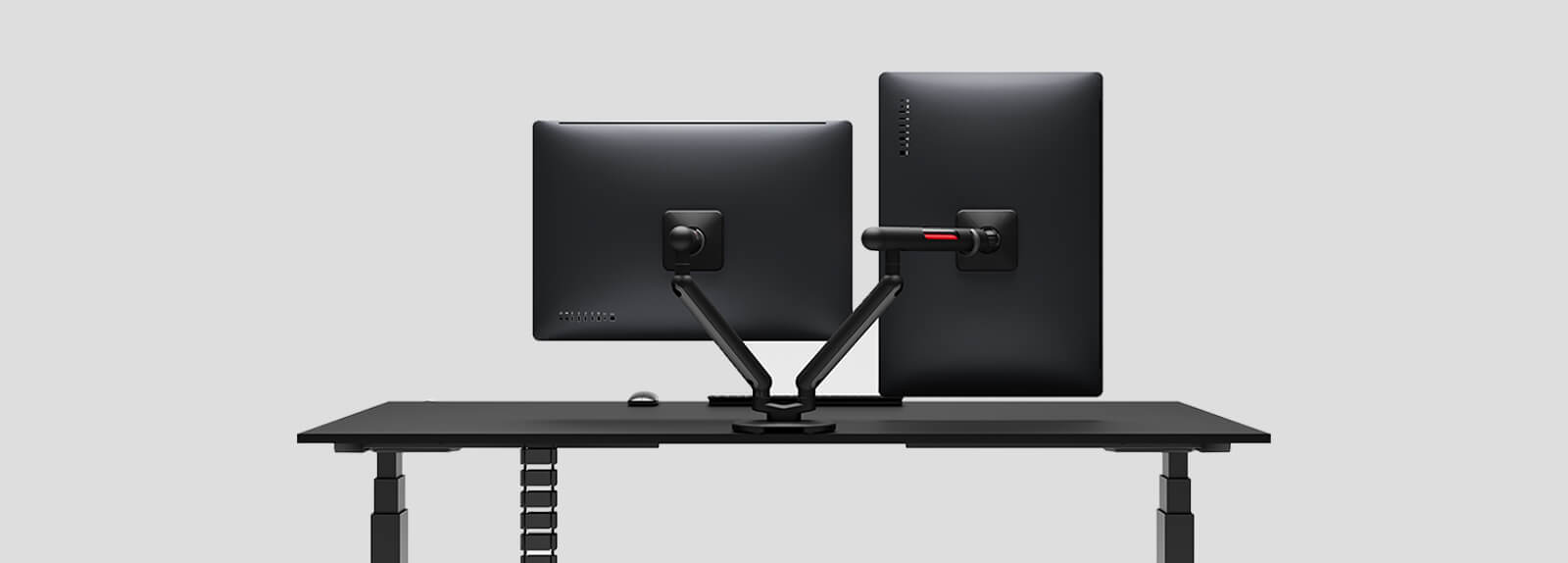
Your Ultimate Guide to Dual Monitor Arms
If you’re still using the stock stands that came with your monitors, you’re probably giving up more desk space than you realize. Most factory monitor stands have huge footprints, limited adjustment options, and almost no flexibility when it comes to creating a comfortable workstation.
A quality dual monitor arm solves all of those problems at once. It lifts your displays off the desk, creates a cleaner workspace, improves ergonomics, and makes it easier to position your screens exactly where you want them. Whether you’re working from home, trading stocks, editing videos, coding, gaming, or simply multitasking across multiple applications, the right dual monitor mount can completely change how your workspace feels.
After evaluating build quality, monitor support, adjustment range, installation design, cable management, and overall value, these are the best dual monitor arms currently available on the market.
Which Are the Top Picks for Dual Monitor Arms?
Editor's Choice 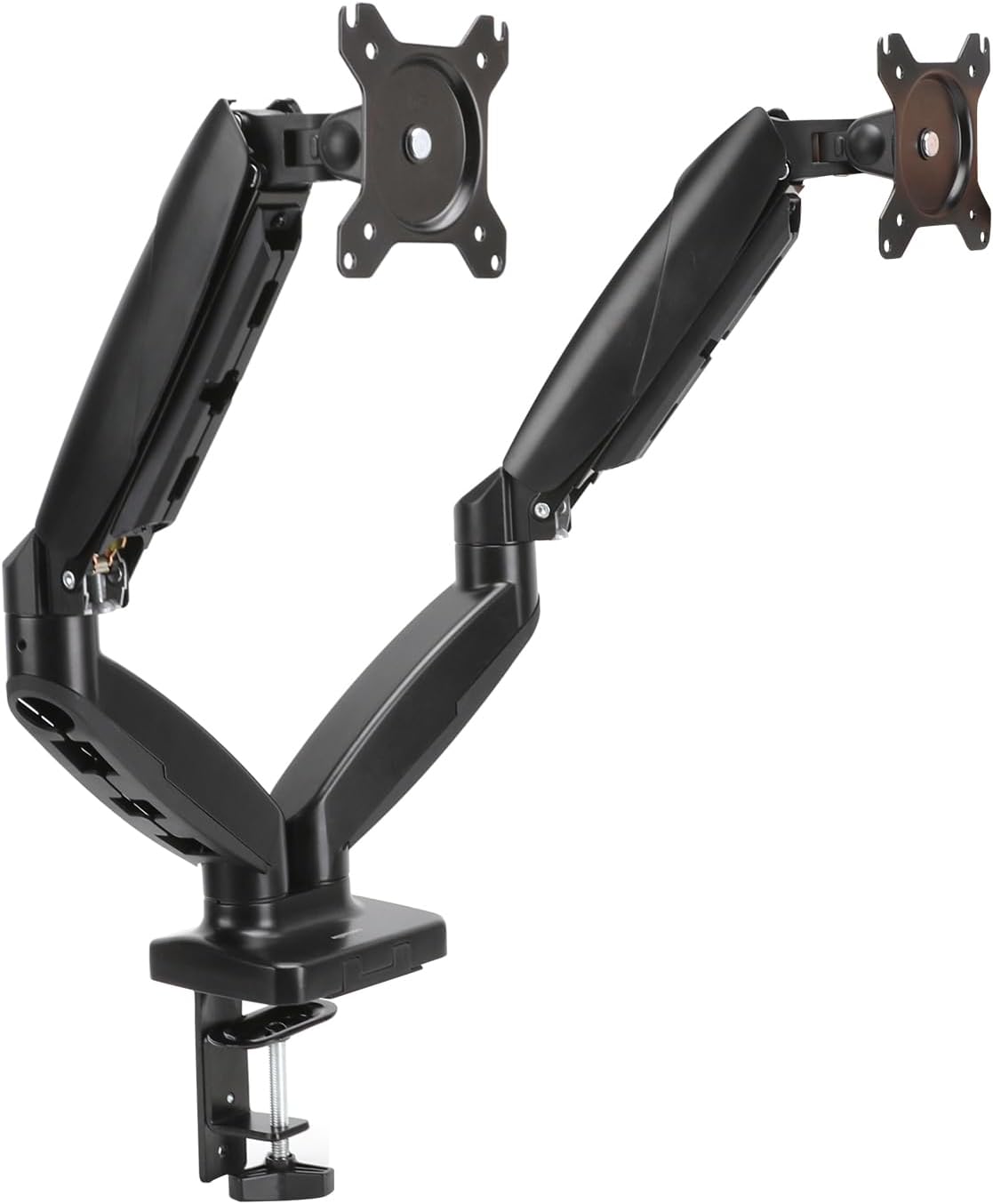 Best Overall | 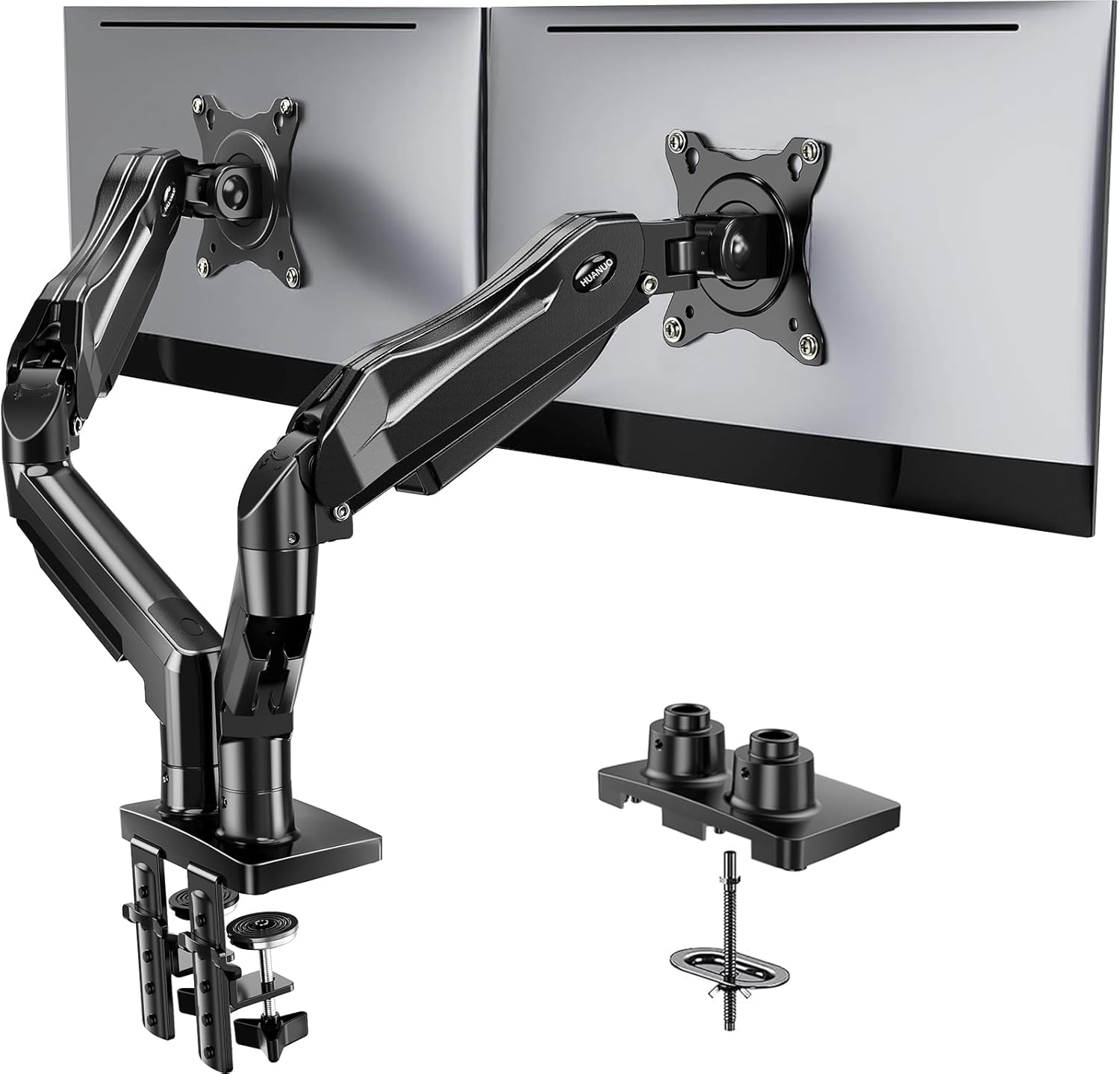 Best Premium |  Best Budget |
Amazon Basics Gas Spring Dual Computer Monitor Arm MountA sturdy gas spring design with excellent adjustability, strong weight support, and premium features without the premium price. | HUANUO FlowLift Dual Monitor StandA fully articulating gas spring arm that offers exceptional flexibility, smooth movement, and support for larger displays. | VIVO Dual Monitor Desk MountA proven budget-friendly dual monitor mount with reliable construction and excellent value for smaller monitors. |
Functionality: ⭐⭐⭐⭐⭐ Quality: ⭐⭐⭐⭐⭐ Price: ⭐⭐⭐⭐ | Functionality: ⭐⭐⭐⭐⭐ Quality: ⭐⭐⭐⭐⭐ Price: ⭐⭐⭐⭐ | Functionality: ⭐⭐⭐⭐ Quality: ⭐⭐⭐⭐ Price: ⭐⭐⭐⭐⭐ |
Let’s Go Over Each
#1: Amazon Basics Gas Spring Dual Computer Monitor Arm Mount
Functionality: ⭐ ⭐ ⭐ ⭐ ⭐
Quality: ⭐ ⭐ ⭐ ⭐ ⭐
Price: ⭐ ⭐ ⭐ ⭐
Many dual monitor arms force buyers to choose between affordability and quality. This model manages to deliver both.
The gas spring mechanism allows smooth movement without requiring constant adjustment. Once your monitors are positioned correctly, they stay exactly where you place them.
The arm also supports a wide range of monitor sizes, making it suitable for most dual-monitor workstations. Whether you’re running dual 24-inch productivity monitors or larger 27-inch displays, the mount remains stable during everyday use.
The construction feels noticeably sturdier than many entry-level competitors. Metal components are used throughout the primary structure, helping reduce wobble when adjusting displays.
Pros and Cons of the Amazon Basics Gas Spring Dual Computer Monitor Arm Mount
| Pros | Cons |
|---|---|
| ✔️ Smooth gas spring movement ✔️ Strong metal construction ✔️ Excellent cable management ✔️ Frees significant desk space ✔️ Supports multiple monitor configurations | ✖️ More expensive than budget pole mounts ✖️ Installation takes longer than simpler designs |
#2: HUANUO FlowLift Dual Monitor Stand
Functionality: ⭐ ⭐ ⭐ ⭐ ⭐
Quality: ⭐ ⭐ ⭐ ⭐ ⭐
Price: ⭐ ⭐ ⭐ ⭐
HUANUO has become one of the most recognized names in monitor arms because they consistently offer premium features at prices well below enterprise brands.
The FlowLift design supports monitors from 13 to 32 inches while providing full articulation, including tilt, swivel, rotation, and height adjustment. The gas spring movement feels smooth and responsive, making it easy to reposition displays throughout the day.
The integrated cable routing system helps maintain a cleaner workstation, especially when managing multiple display cables, power cords, webcams, and USB accessories.
Pros and Cons of the HUANUO FlowLift Dual Monitor Stand
| Pros | Cons |
|---|---|
| ✔️ Exceptional flexibility ✔️ Strong weight support ✔️ Excellent cable management ✔️ Premium appearance ✔️ Smooth gas spring operation | ✖️ Higher price than entry-level options ✖️ Requires desk space behind monitors |
#3: VIVO Dual Monitor Desk Mount
Functionality: ⭐ ⭐ ⭐ ⭐
Quality: ⭐ ⭐ ⭐ ⭐
Price: ⭐ ⭐ ⭐ ⭐ ⭐
The VIVO dual monitor mount proves you don’t need to spend hundreds of dollars to improve your workstation.
Instead of expensive gas spring arms, VIVO uses a traditional mechanical design mounted to a central pole. While adjustments aren’t quite as effortless, the setup remains surprisingly flexible.
For users with dual 24-inch or dual 27-inch monitors, it delivers tremendous value.
Pros and Cons of the VIVO Dual Monitor Desk Mount
| Pros | Cons |
|---|---|
| ✔ More affordable than other brands ✔ Smooth adjustment ✔ Comes with wire clips for easy cable management ✔ Can support a heavy monitor size for added security | ✘ Doesn’t use gas springs, which may make arms difficult to move and get it blocked |
How We Chose the Best Dual Monitor Arms
The difference between a good monitor arm and a bad one often becomes obvious after six months of use. Cheap models frequently develop sagging arms, loose joints, and unstable positioning. Premium models continue operating smoothly for years.
We evaluated products based on real-world factors that matter during daily use, including monitor support, arm articulation, construction quality, mounting stability, ease of installation, cable management, and long-term durability.
Weight capacity was particularly important because many modern monitors weigh significantly more than older office displays. A monitor arm that struggles with weight today will likely perform worse over time.
Why A Dual Monitor Arm Can Transform Your Desk Setup
Better Ergonomics
Poor monitor placement often causes neck strain, shoulder tension, and eye fatigue. A monitor arm allows you to place screens at the proper eye level, reducing awkward posture throughout the workday. When displays are positioned correctly, you naturally maintain a healthier sitting position without constantly adjusting your chair.
Increased Productivity
A dual monitor setup already improves workflow. Adding a monitor arm enhances that experience further by allowing screens to be aligned perfectly. This becomes particularly useful for programmers, financial analysts, video editors, designers, and remote workers who frequently move between applications.
Improved Cable Management
Monitor arms naturally create cleaner workspaces because cables can be routed through built-in channels. Instead of having cords hanging behind monitors, everything remains organized and hidden.
More Desk Space
Removing bulky monitor stands instantly creates additional usable desk space. Many users are surprised by how much larger their workstation feels after switching to monitor arms.
Dual Arm vs Pole Mount Designs
One of the biggest decisions involves choosing between articulated gas spring arms and fixed pole-mounted systems. Pole-mounted designs tend to be less expensive and offer excellent stability. They’re ideal for users who rarely move their monitors after initial setup.
Gas spring arms provide significantly more flexibility. They allow monitors to be repositioned effortlessly throughout the day, making them better suited for dynamic work environments. Most users eventually prefer gas spring designs because of the added convenience.
How To Choose The Right Dual Monitor Mount
Monitor Size Matters
A dual monitor arm designed for 24-inch displays may struggle with heavier 32-inch monitors. Always verify both monitor size limits and weight capacity before purchasing.
Weight Capacity Is Critical
Many buyers focus exclusively on screen size compatibility. Weight capacity is actually the more important specification. Curved monitors, ultrawides, and professional displays often weigh considerably more than standard office monitors.
Check Desk Compatibility
Not every desk works with every monitor arm. Pay attention to desk thickness requirements, clamp dimensions, and grommet mounting compatibility.
Verify VESA Support
Most monitors support either 75x75mm or 100x100mm VESA mounting standards. Before purchasing any dual monitor arm, confirm your displays support VESA mounting.
Common Mistakes Buyers Make
- Purchasing based solely on price.
- Underestimating monitor weight. Many people assume all 27-inch monitors weigh roughly the same. In reality, weight can vary significantly depending on panel type, construction materials, and additional features.
- Overlooking future upgrades. Spending slightly more on a monitor arm with higher weight capacity often prevents needing a replacement later.
- Forgetting to measure available desk depth. Even the best monitor arm needs adequate clearance behind the desk for full movement.
Final Note
A dual monitor arm might seem like a small upgrade, but it’s one of the highest-impact improvements you can make to a workspace. Better ergonomics, cleaner cable management, increased desk space, and improved productivity all come from a single accessory.
For most buyers, the Amazon Basics Gas Spring Dual Computer Monitor Arm Mount delivers the best balance of functionality, build quality, and value. Users seeking premium flexibility should look at the HUANUO FlowLift, while budget shoppers will find excellent value in the VIVO Dual Monitor Desk Mount.
Frequently Asked Questions
Are dual monitor arms worth it?
For most dual-monitor users, absolutely. Beyond creating a cleaner desk, monitor arms improve ergonomics, free up workspace, and make it easier to position screens correctly. Many people find that a monitor arm provides a bigger quality-of-life improvement than upgrading other desk accessories.
Can a dual monitor arm support two 32-inch monitors?
Yes, but you must check the weight capacity carefully. Size compatibility alone doesn’t guarantee support. Many premium arms can handle dual 32-inch displays, while budget models may struggle.
Do monitor arms damage desks?
A properly installed monitor arm should not damage a sturdy desk. Most use padded C-clamps that distribute weight effectively. Extremely thin particleboard desks may require additional reinforcement.
Are gas spring monitor arms better than pole-mounted arms?
For flexibility, yes. Gas spring arms allow easier repositioning and smoother movement. Pole-mounted systems remain a great option for users who prefer a simple, affordable solution and rarely adjust their monitors.
How long does a quality monitor arm last?
A well-built monitor arm from a reputable manufacturer can easily last five to ten years or more. Premium models often outlive multiple monitor upgrades, making them a worthwhile long-term investment.
Editor’s Choice
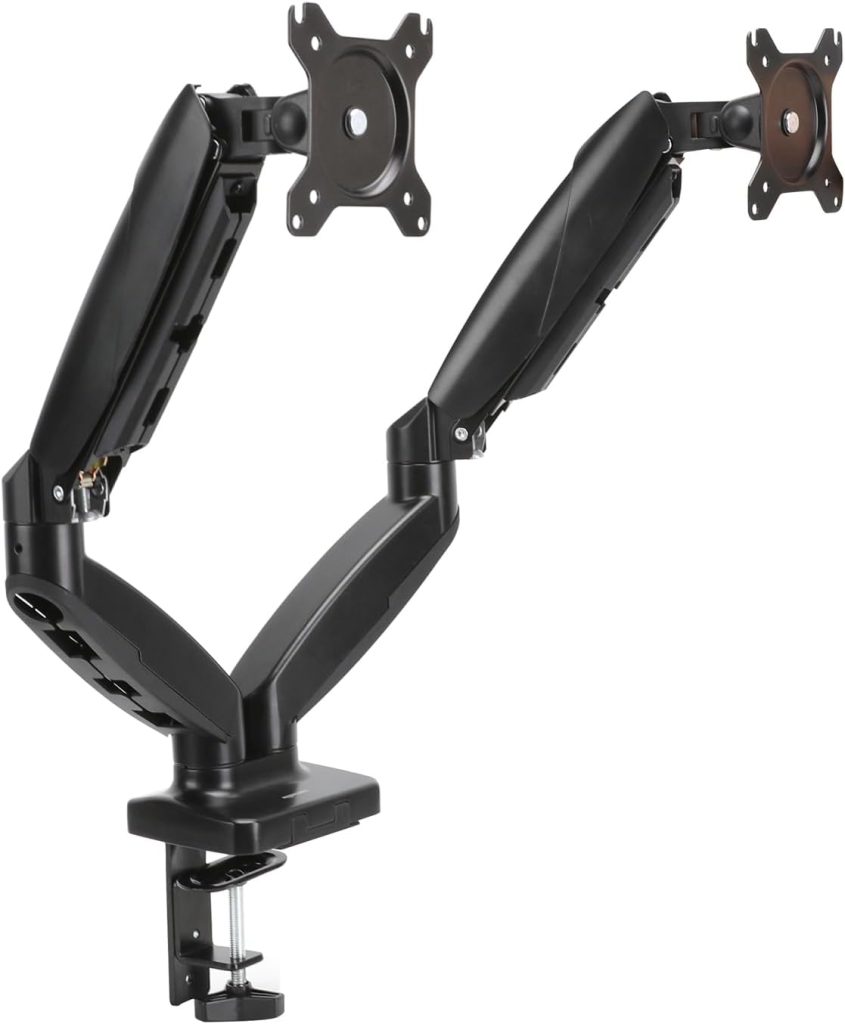
Amazon Basics Gas Spring Dual Computer Monitor Arm Mount
If you’re looking for a dual monitor arm that can satisfy the needs of most users, this is the model we’d choose.
It offers smooth gas spring adjustments, durable construction, strong monitor support, effective cable management, and excellent long-term usability.
The price sits comfortably between budget and premium options, making it a strong value purchase for professionals, gamers, and home office users alike.