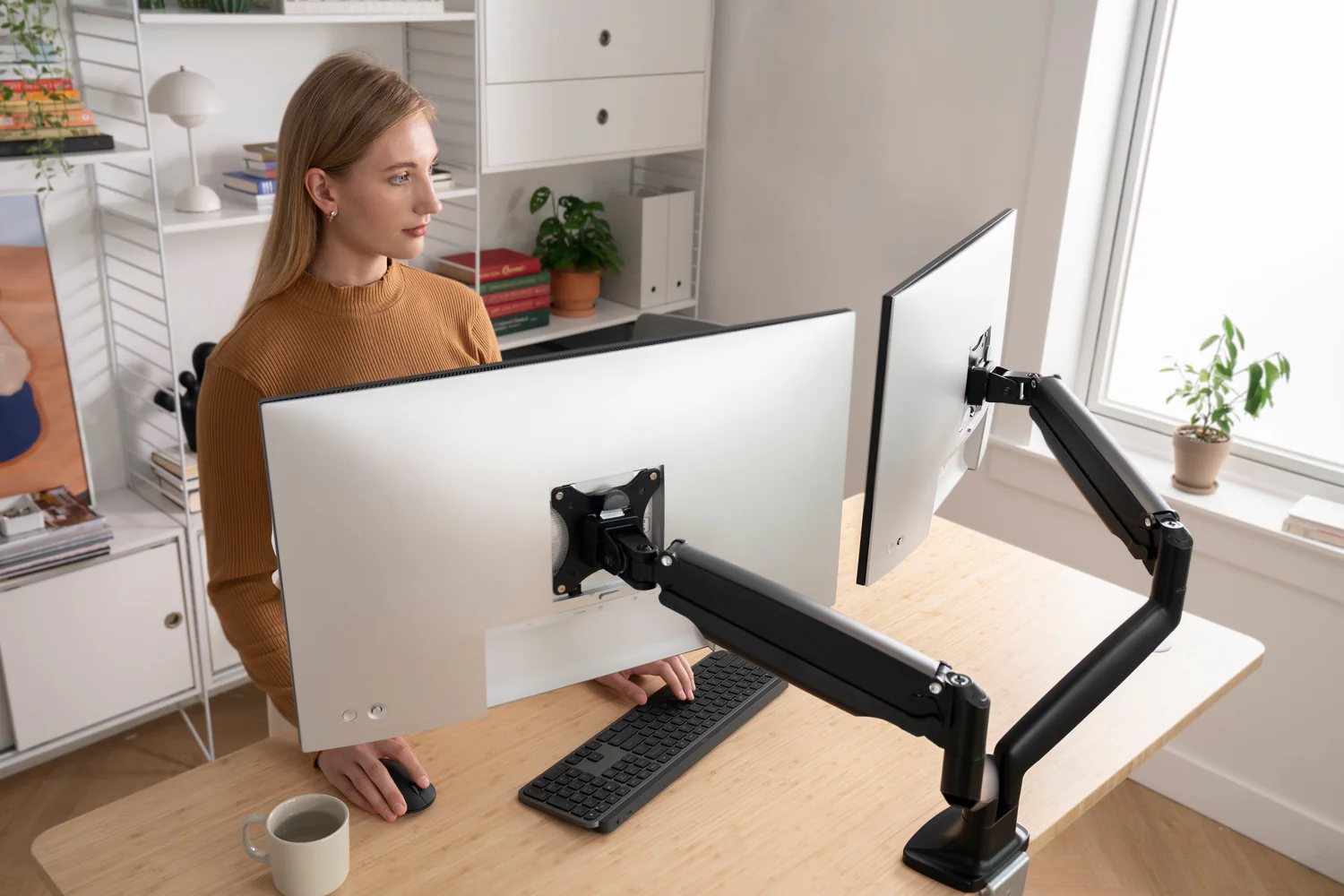
Your Ultimate Guide to Monitor Arms for Standing Desks
A standing desk gives you the freedom to change positions throughout the day, but your monitor needs to move with you. If your screen stays too low when you’re standing or too high when you’re sitting, you’ll likely end up with neck strain, sore shoulders, and poor posture that cancels out many of the ergonomic benefits of a height-adjustable desk.
That’s where a quality monitor arm makes a noticeable difference. Instead of relying on a fixed monitor stand, a monitor arm lets you raise, lower, extend, tilt, and rotate your display with minimal effort. More importantly, it keeps your monitor aligned with your eyes whether you’re sitting for focused work or standing during meetings, coding sessions, or long hours of editing.
Not every monitor arm is designed for a standing desk, though. Electric desks introduce movement every time you change height, and that movement can expose weaknesses in cheaper monitor arms. Arms with poor tension systems may drift over time, wobble during adjustments, or struggle to support heavier monitors and ultrawide displays.
This guide focuses on monitor arms that perform well on standing desks. Rather than simply comparing specifications, we’ll explain how each model performs in real-world use, who it’s best suited for, and whether it’s worth spending more for premium construction.
Which Are the Top Picks?
Editor's Choice  Best Overall | 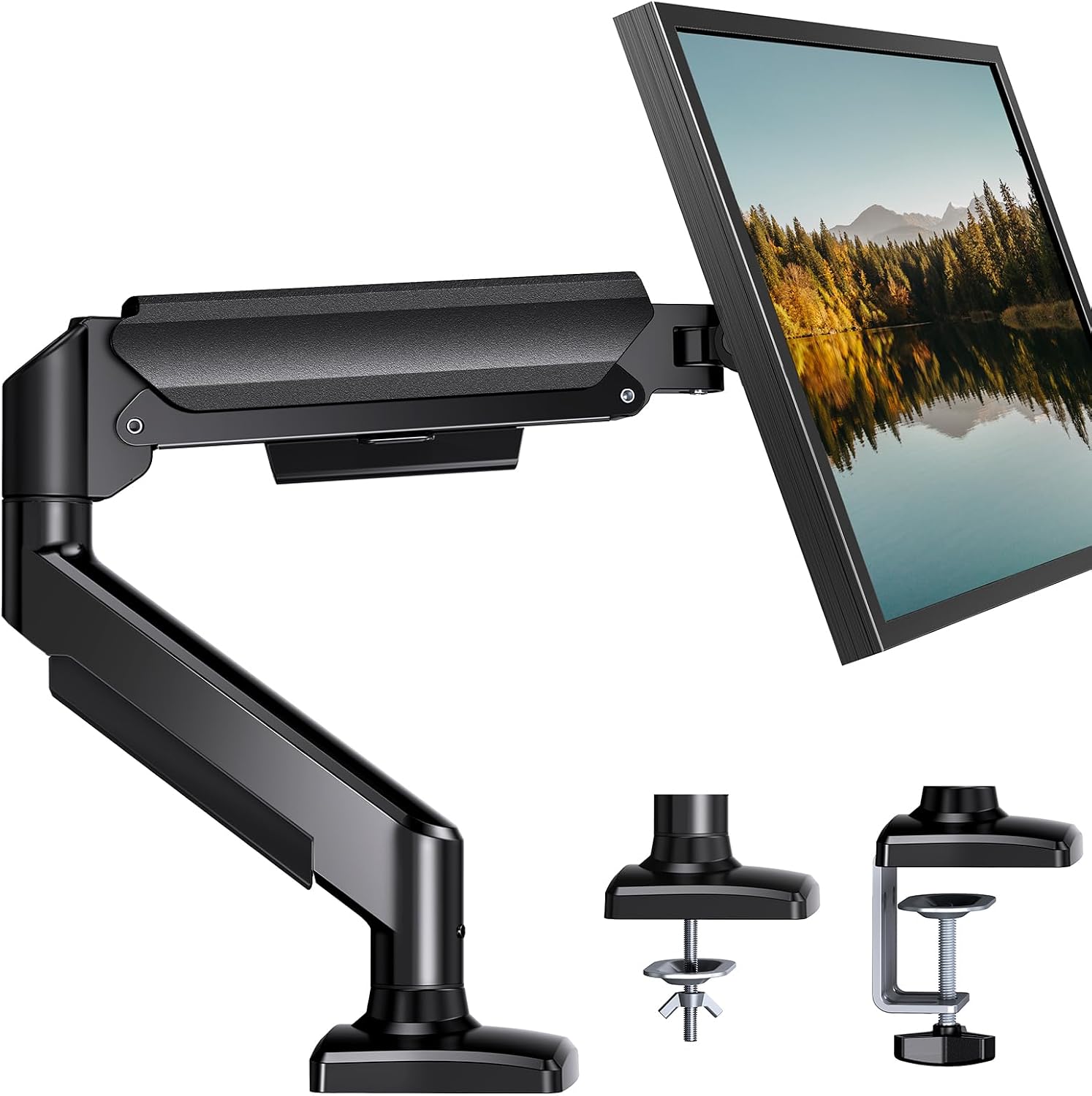 Best Budget |  Best Heavy-Duty |
Ergotron LX Premium Monitor ArmAn exceptionally durable gas spring monitor arm that offers smooth movement, outstanding stability, and one of the best long-term warranties available. It's an excellent choice for most standing desk users. | HUANUO Single Gas Spring Monitor ArmA surprisingly capable budget-friendly option that delivers smooth adjustment, solid build quality, and excellent value for home offices without sacrificing everyday usability. | Ergotron HX Heavy Duty Monitor ArmDesigned for large monitors and ultrawide displays, the HX provides the strength and stability needed for heavier setups while maintaining effortless adjustment. |
Functionality: ⭐⭐⭐⭐⭐ Quality: ⭐⭐⭐⭐⭐ Price: ⭐⭐⭐⭐ | Functionality: ⭐⭐⭐⭐⭐ Quality: ⭐⭐⭐⭐ Price: ⭐⭐⭐⭐⭐ | Functionality: ⭐⭐⭐⭐⭐ Quality: ⭐⭐⭐⭐⭐ Price: ⭐⭐⭐⭐ |
Let’s Go Over Each
#1: Ergotron LX Premium Monitor Arm
Functionality: ⭐ ⭐ ⭐ ⭐ ⭐
Quality: ⭐ ⭐ ⭐ ⭐ ⭐
Price: ⭐ ⭐ ⭐ ⭐
The Ergotron LX has earned its reputation over many years because it focuses on the fundamentals that matter most.
It moves smoothly, stays exactly where you position it, and continues performing reliably after years of daily adjustments.
While many monitor arms feel excellent during the first few weeks, some develop sagging joints or inconsistent gas spring tension over time.
The LX has consistently demonstrated long-term durability in demanding office environments, making it one of the safest investments if you expect to keep your standing desk for years.
Installation is straightforward using either the included desk clamp or grommet mount.
Once installed, the arm offers generous height adjustment, extension, tilt, swivel, and full 360-degree rotation. This flexibility makes it easy to switch between portrait and landscape orientation or reposition your monitor when collaborating with coworkers.
One of the LX’s biggest strengths is its smooth gas spring mechanism. Raising or lowering your monitor requires very little effort, which becomes especially valuable on a standing desk where you’ll likely adjust both desk height and monitor position throughout the day.
The movement feels controlled rather than loose, allowing you to make precise ergonomic adjustments without constantly tightening joints.
Cable management is integrated into the arm, helping reduce cable clutter while preventing cords from snagging during height adjustments. This creates a cleaner workspace and minimizes stress on power and display cables.
The LX supports a wide range of monitor sizes, making it suitable for everything from compact office displays to many 34-inch ultrawide monitors, provided they fall within the recommended weight limits.
Before purchasing, it’s worth checking your monitor’s weight without the factory stand to ensure compatibility.
Pros and Cons of the Ergotron LX Premium Monitor Arm
| Pros | Cons |
|---|---|
| ✔️ Made with sturdy materials ✔️ Easy to use and store ✔️ Can carry up to 25 lbs | ✖️ Taller individuals might want to use the Tall Pole version instead ✖️ Clips for cable organization may not be enough for some |
#2: HUANUO Single Gas Spring Monitor Arm
Functionality: ⭐ ⭐ ⭐ ⭐ ⭐
Quality: ⭐ ⭐ ⭐ ⭐
Price: ⭐ ⭐ ⭐ ⭐ ⭐
Not everyone needs to spend premium money to improve their workspace. The HUANUO Single Gas Spring Monitor Arm has become one of the most popular choices because it delivers many of the features people actually use every day at a much lower price.
The arm supports standard VESA mounting patterns and includes both clamp and grommet installation options, making it compatible with most standing desks. Assembly is relatively simple, and most users can complete installation within half an hour using the included hardware.
Its gas spring mechanism allows smooth vertical adjustment, although the movement isn’t quite as refined as premium models.
For occasional adjustments between sitting and standing, however, the difference is surprisingly small. Once properly tensioned for your monitor’s weight, the arm generally stays in position without noticeable drifting.
Build quality exceeds expectations for the price. While more plastic components are used compared to premium competitors, the steel frame feels sturdy enough for everyday office use.
Integrated cable routing also helps keep your desk organized, although the cable channels aren’t quite as polished as higher-end alternatives.
This monitor arm is best suited for displays up to around 32 inches within its supported weight range. It’s an excellent option for students, remote workers, and anyone building a home office on a budget.
Its biggest limitation becomes apparent with heavier professional monitors or frequent repositioning throughout the day. The joints don’t feel quite as refined under constant use, but for typical office work, it represents excellent value.
Pros and Cons of the HUANUO Single Gas Spring Monitor Arm
| Pros | Cons |
|---|---|
| ✔️ Outstanding value for money ✔️ Smooth gas spring adjustment ✔️ Simple installation ✔️ Compatible with most standing desks ✔️ Good cable management | ✖️ More plastic components than premium models ✖️ Less refined movement under heavier loads ✖️ Not ideal for very large ultrawide monitors |
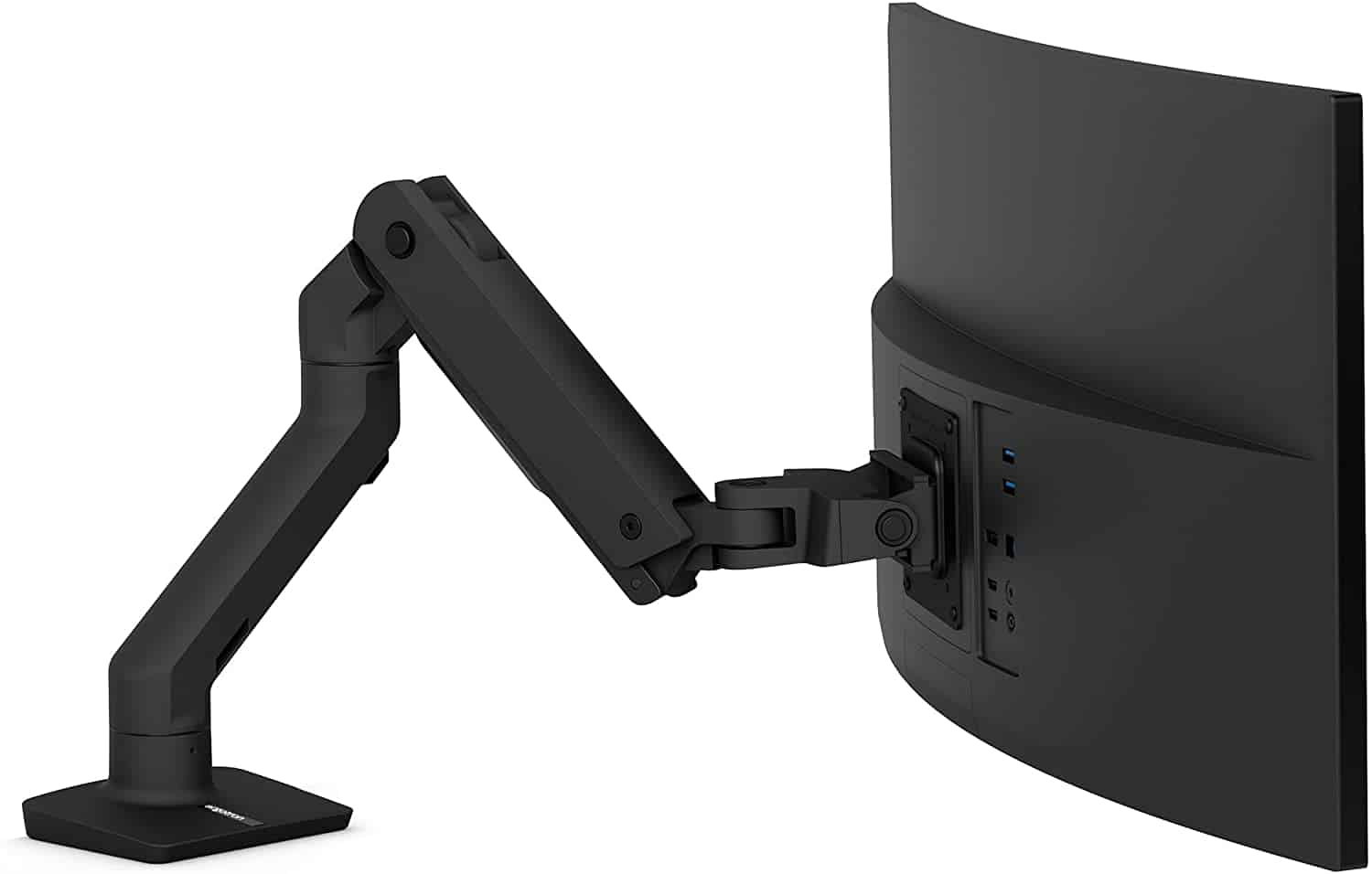
#3: Ergotron HX Heavy Duty Monitor Arm
Functionality: ⭐ ⭐ ⭐ ⭐ ⭐
Quality: ⭐ ⭐ ⭐ ⭐ ⭐
Price: ⭐ ⭐ ⭐ ⭐
Large monitors continue to grow in popularity, particularly among programmers, video editors, financial professionals, and gamers.
While these displays improve productivity by reducing the need for multiple monitors, they also introduce significantly more weight and leverage than standard office displays. That’s exactly the problem the Ergotron HX is built to solve.
The HX is engineered to support larger monitors without sacrificing stability. Even when paired with a heavy 49-inch super ultrawide display, the arm maintains controlled movement and remains firmly positioned once adjusted.
This stability becomes especially valuable on electric standing desks, where raising or lowering the desk can amplify vibrations through less rigid monitor arms.
Movement feels exceptionally smooth despite the increased lifting capacity. The gas spring system is carefully tuned for heavier displays, allowing precise height adjustment while preventing sudden drops or unwanted movement.
Once positioned, the monitor stays exactly where you leave it, reducing the need for constant readjustment.
Construction quality is outstanding. The aluminum frame feels rigid throughout its entire range of motion, and the joints remain tight without restricting movement.
Integrated cable management keeps thick DisplayPort, HDMI, USB, and power cables neatly organized, which can otherwise become difficult with larger monitor setups.
Although the HX commands a premium price, it’s often far less expensive than replacing an inadequate monitor arm that can’t properly support an expensive ultrawide display.
For anyone investing in a high-end monitor, the additional cost is usually justified by the improved stability, smoother adjustments, and long-term durability.
Pros and Cons of the Ergotron HX Heavy Duty Monitor Arm
| Pros | Cons |
|---|---|
| ✔ Budget-friendly price ✔ Smooth adjustment ✔ Easy installation | ✘ Max. weight capacity is only 14.3 lbs. |
Why Standing Desks Need a Different Kind of Monitor Arm
If you’ve only used a traditional fixed-height desk, you might assume any monitor arm will work just as well on a standing desk. In reality, a height-adjustable desk changes the demands placed on both the monitor arm and the desk itself.
Every time you raise or lower an electric standing desk, the entire desktop moves. That movement introduces vibration and momentum that a stationary desk never experiences.
A well-built monitor arm absorbs these small movements without allowing the monitor to bounce excessively or drift out of position. Lower-quality models often struggle here. You may notice the screen wobbling for several seconds after the desk stops moving, especially if you’re using a large monitor or an ultrawide display.
Standing desks also encourage more frequent ergonomic adjustments. When you’re sitting, your eyes naturally align differently with the screen than when you’re standing. Even if your desk reaches the correct height, you may still want to raise the monitor slightly to maintain a comfortable viewing angle. A quality gas spring monitor arm lets you make these adjustments with one hand in just a few seconds.
Another consideration is workspace flexibility. Many standing desk owners alternate between focused work, video calls, writing, and collaboration throughout the day. Being able to quickly pull the monitor closer, push it back, rotate it into portrait orientation, or share the screen with someone nearby becomes far more valuable than it might on a fixed desk.
The goal isn’t simply to mount your monitor. It’s to create a workstation that adapts to the way you work instead of forcing you to adapt to your equipment.
Gas Spring vs. Mechanical Monitor Arms
One of the first specifications you’ll encounter is whether a monitor arm uses a gas spring or a mechanical spring. While both accomplish the same basic task, they provide noticeably different experiences during everyday use.
Gas spring monitor arms use compressed gas inside a sealed cylinder to counterbalance the monitor’s weight. Once the tension is adjusted correctly, the monitor almost seems to float. You can raise or lower it smoothly with minimal effort, and it stays in position without requiring knobs to be tightened after every adjustment.
This effortless movement is one of the biggest reasons gas spring designs dominate premium monitor arms. If you regularly alternate between sitting and standing, you’ll appreciate being able to reposition your display in seconds.
Mechanical spring systems rely on traditional steel springs instead. They’re generally less expensive and perfectly adequate if you rarely move your monitor after installation. However, the adjustment process is often less fluid, and changing positions may require more force or additional tightening.
Long-term durability also differs. Premium gas spring systems tend to maintain consistent performance for many years, while cheaper systems of either type may gradually lose tension. That doesn’t mean every inexpensive arm will fail quickly, but premium manufacturers generally use higher-quality internal components and tighter manufacturing tolerances.
For most standing desk users, a gas spring monitor arm is the better investment because it complements the adjustable nature of the desk itself.
Single vs. Dual Monitor Arms
The right configuration depends less on your budget than on how you actually use your computer.
A single monitor arm offers the greatest flexibility for one display. It allows a wider range of motion, simpler installation, and lower overall weight on the desk. If you primarily work with one monitor, even a large 34-inch ultrawide, a single arm usually provides the cleanest setup.
Dual monitor arms become valuable when you regularly multitask across two displays. Software developers might keep code on one screen and documentation on the other. Financial professionals often dedicate one monitor to charts and another to research. Designers and video editors frequently separate timelines from preview windows.
The decision becomes more complicated with larger monitors. Two 32-inch displays place significantly more stress on both the monitor arms and the standing desk than two standard 24-inch monitors. In some situations, using two independent single monitor arms provides greater flexibility than a single dual-arm assembly because each display can be positioned independently.
Weight distribution also matters. A large dual-arm setup mounted near one edge of the desk can increase wobble on certain standing desks. Spreading the load with two separate arms often creates a more balanced workstation.
Before purchasing any dual-arm solution, calculate the combined weight of both monitors after removing their factory stands. Weight capacity applies to each arm individually, and exceeding those limits reduces stability and may shorten the arm’s lifespan.
Clamp Mount vs. Grommet Mount
Nearly every monitor arm includes two installation methods: a clamp mount and a grommet mount. Both can be excellent choices, but the right option depends on your desk.
Clamp mounts attach to the rear edge of the desktop using a pressure plate. They’re quick to install, don’t require permanent modifications, and are ideal for renters or anyone who may rearrange their workspace in the future. Most standing desk owners choose clamp mounting because it works with the majority of commercial desks.
The desktop itself needs to be strong enough to support concentrated pressure. Solid wood, steel-framed desks, and high-quality laminated desktops generally perform well. Lower-quality particleboard or hollow-core desks may compress over time, especially when supporting heavy monitors.
Grommet mounting uses a hole through the desktop to secure the monitor arm from below. Many standing desks include cable management holes that double as grommet mounting points. This installation method often provides slightly better stability because the load is distributed more centrally through the desk rather than clamped to the edge.
If you’re purchasing a premium standing desk from manufacturers like Uplift, FlexiSpot, Vari, Branch, or Fully, check whether the desktop already supports grommet installation. Using the built-in mounting hole often creates a cleaner appearance while freeing the rear edge of the desk for accessories.
How to Choose the Right Monitor Arm
The most important specification isn’t monitor size. It’s monitor weight. Manufacturers advertise compatibility with displays up to 32 or 34 inches, but two monitors of identical size can weigh several pounds apart depending on panel technology, internal construction, and materials. Always verify the monitor’s weight without its factory stand before comparing it to the arm’s rated capacity.
VESA compatibility is equally important. Most monitors use either a 75 × 75 mm or 100 × 100 mm VESA mounting pattern. If your monitor doesn’t include VESA mounting holes, you’ll need a compatible adapter before purchasing any monitor arm.
Consider your available desktop depth as well. Deep desks generally allow greater flexibility because the monitor arm can extend and retract naturally. Shallow desks require careful attention to the arm’s minimum depth to avoid positioning the monitor too close to your eyes.
Range of motion matters more than maximum extension for many users. Vertical adjustment is especially valuable with standing desks because your eye level changes throughout the day. Look for generous height adjustment, smooth tilt, swivel, and rotation if you regularly change tasks or monitor orientation.
Finally, don’t overlook cable management. Integrated cable routing isn’t simply cosmetic. Properly secured cables move with the monitor arm, reducing strain on connectors and preventing cables from snagging as the desk changes height.
Standing Desk Ergonomics: Getting the Most from Your Monitor Arm
Buying the right monitor arm is only half the equation. Proper positioning determines whether you’ll actually experience the ergonomic benefits.
When sitting, the top edge of the screen should generally sit at or slightly below eye level so your neck remains in a neutral position. When standing, many people naturally hold their heads slightly higher, so you may find yourself raising the monitor an inch or two to maintain the same comfortable viewing angle.
Viewing distance is equally important. Most users benefit from keeping the monitor roughly an arm’s length away, although larger ultrawide displays may be more comfortable slightly farther back. A monitor arm makes these adjustments simple because you can move the display independently of the keyboard and mouse.
Screen tilt should also be subtle. Excessive upward or downward tilt often forces awkward neck positions during long work sessions. Instead, aim for a slight backward tilt that reduces glare while keeping the screen squarely within your line of sight.
If you use multiple monitors, position the display you use most directly in front of you. The secondary monitor should sit beside it at a shallow angle to minimize repeated neck rotation. This simple adjustment can significantly reduce fatigue over a full workday.
Remember that even the best ergonomic setup isn’t meant to keep you perfectly still. The real advantage of a standing desk and monitor arm is that they encourage frequent movement and easy adjustments throughout the day, helping reduce prolonged static posture rather than replacing it with another fixed position.
Are Expensive Monitor Arms Worth the Money?
If you’re shopping for monitor arms, you’ve probably noticed that prices range from under $30 to well over $300. At first glance, many of them appear similar. They all promise height adjustment, VESA compatibility, and ergonomic positioning, so it’s natural to wonder whether premium models are actually worth the extra investment.
The biggest difference isn’t found in the feature list. It’s in how those features perform over the years of daily use.
Premium monitor arms use higher-quality gas spring cylinders, tighter manufacturing tolerances, stronger internal joints, and more durable materials such as aluminum rather than thin stamped steel or plastic. The result is smoother movement, more consistent tension, and better stability when supporting heavier monitors.
If you adjust your monitor several times each day while switching between sitting and standing, these differences become noticeable very quickly. A premium arm continues moving smoothly without drifting downward or requiring constant retightening. Less expensive models often work well initially but may develop sagging joints or uneven movement after prolonged use.
That doesn’t mean everyone needs a premium monitor arm. If you use a lightweight 24-inch or 27-inch monitor, rarely reposition it, and simply want to free up desk space, a well-reviewed budget option like the HUANUO offers excellent value.
On the other hand, if you’ve invested hundreds or even thousands of dollars in a standing desk and professional monitor, spending more on a quality monitor arm helps protect that investment. Better stability reduces vibration during desk movement, smoother adjustments encourage healthier ergonomics, and higher build quality often translates into many years of reliable service.
Ultimately, the best value comes from matching the monitor arm to your workspace rather than automatically choosing either the cheapest or the most expensive option.
Frequently Asked Questions
Will a monitor arm make my standing desk wobble?
A monitor arm doesn’t create wobble by itself, but it can amplify movement that’s already present. Heavy monitors mounted on long extension arms place additional leverage on the desktop. Choosing an arm with a shorter extension, using a grommet mount when possible, and keeping the monitor close to the center of the desk can all improve stability.
How do I know if my monitor is compatible?
Check two specifications before purchasing. First, verify that your monitor supports either the 75 × 75 mm or 100 × 100 mm VESA mounting standard. Second, confirm that the monitor’s weight without its original stand falls within the monitor arm’s supported weight range. Both requirements must be met for proper operation.
Are monitor arms safe for particleboard or MDF desks?
They can be, provided the desk is structurally sound and the manufacturer allows clamp mounting. Thicker desktops generally distribute pressure more effectively than thin particleboard surfaces. If you’re concerned about compression, placing a reinforcement plate between the clamp and the desktop can help spread the load more evenly.
Can a monitor arm support an ultrawide monitor?
Yes, but monitor size alone doesn’t determine compatibility. Weight is the most important specification. Many 34-inch ultrawide displays work perfectly with standard premium monitor arms, while larger 49-inch super ultrawide monitors often require heavy-duty models such as the Ergotron HX.
Is one dual monitor arm better than using two single monitor arms?
It depends on your workspace. Dual monitor arms create a cleaner installation and reduce hardware on the desk. However, two independent single monitor arms usually provide greater positioning flexibility and often distribute weight more evenly across the desktop. Many professionals who regularly reposition their displays prefer two separate arms for this reason.
How high should my monitor be when standing?
A good starting point is to position the top of the screen at or just below eye level while standing naturally with relaxed shoulders. Your eyes should look slightly downward toward the center of the display rather than upward. Small adjustments based on your height, monitor size, and viewing distance can further improve comfort during long work sessions.
Are gas spring monitor arms maintenance-free?
Most quality gas spring monitor arms require very little maintenance beyond occasional cleaning. If the monitor begins drifting after changing displays, adjusting the spring tension usually restores proper balance. Premium gas spring systems are designed to maintain consistent performance for many years under normal use.
Final Note
A standing desk is one of the best upgrades you can make for your workspace, but it reaches its full potential only when the rest of your setup supports healthy posture. A monitor arm allows your screen to move with you, making it easier to maintain comfortable viewing angles whether you’re sitting, standing, or switching between the two throughout the day.
Choosing the right monitor arm isn’t simply about supporting your monitor. It’s about creating a workspace that adapts naturally to the way you work every day.

Editor’s Choice
Ergotron LX Premium Monitor Arm
The Ergotron LX Premium Monitor Arm earns our Best Overall recommendation because it delivers where it matters most.
Its smooth gas spring adjustment, rigid construction, generous range of motion, and exceptional long-term reliability make it an ideal companion for almost any standing desk.
Whether you’re working from home, programming, editing videos, or managing a multi-purpose office, it provides the flexibility needed to maintain proper ergonomics throughout the day.
While it costs more than entry-level alternatives, its build quality and years of dependable performance make it one of the strongest long-term investments for a modern workspace.