How to Use a Standing Desk: A Practical Guide to Better Posture, Comfort, and Productivity
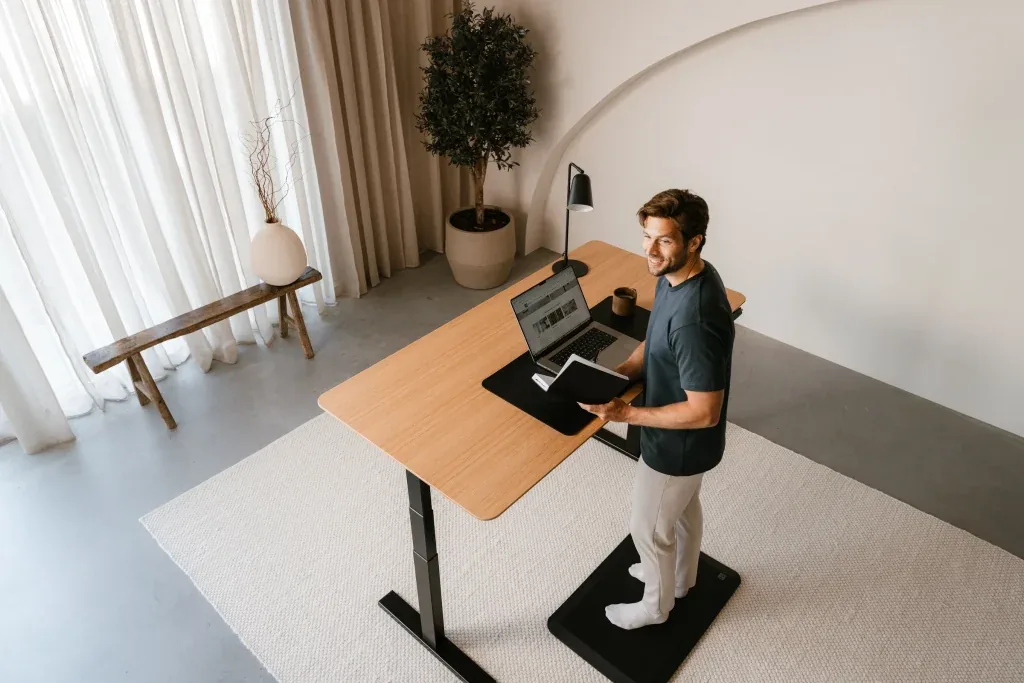
A standing desk can improve your workday, but only when you use it correctly. Many people assume that replacing a chair with hours of standing automatically leads to better health. In reality, standing for too long can create many of the same problems as sitting all day, including fatigue, sore feet, lower back discomfort, and muscle stiffness.
The goal isn’t to stand as much as possible. It’s to move more frequently and avoid remaining in any one position for extended periods.
Learning how to use a standing desk properly means creating a workstation that supports your body, adjusting your posture throughout the day, and developing routines that encourage regular movement. When these elements work together, a standing desk becomes far more than an adjustable piece of furniture. It becomes a tool that helps you work more comfortably and sustainably.
Why Proper Standing Desk Use Matters
Standing desks have become increasingly popular because prolonged sitting has been linked to numerous health concerns, including poor circulation, muscle deconditioning, and increased risk of chronic disease. However, replacing eight hours of sitting with eight hours of standing isn’t the answer.
Research consistently shows that your body benefits most from variety. Muscles, joints, and the circulatory system perform better when you alternate between sitting, standing, and walking throughout the day.
A properly used standing desk encourages these regular position changes. Instead of locking you into one posture, it gives you the flexibility to change positions before discomfort develops. People who transition gradually often notice improvements in energy levels, posture awareness, and comfort during long work sessions because they’re no longer remaining stationary for hours at a time.
1. Start by Setting the Correct Desk Height
The most expensive standing desk won’t improve your posture if it’s adjusted incorrectly. When standing, your elbows should remain close to your sides and form roughly a 90-degree angle while your hands rest naturally on the keyboard. Your shoulders should stay relaxed rather than elevated toward your ears.
If the desk is too high, you’ll likely shrug your shoulders and strain your neck throughout the day. If it’s too low, you’ll instinctively lean forward, placing additional stress on your upper back and spine.
Your wrists should remain relatively straight while typing instead of bending sharply upward or downward. Keeping the keyboard at elbow height helps maintain this neutral wrist position and reduces unnecessary strain during long typing sessions.
Remember that the standing desk height should be adjusted for your body, not someone else’s. Two people of similar height may still require different settings depending on arm length, footwear, and preferred keyboard position.
2. Position Your Monitor to Protect Your Neck
Many standing desk users spend considerable time adjusting the desk height while overlooking monitor placement. Your monitor should sit directly in front of you, with the top of the screen approximately at eye level. This allows your neck to remain in a neutral position rather than constantly tilting downward or upward.
The monitor should also be positioned about an arm’s length away. If it’s too close, your eyes work harder to focus. If it’s too far away, you’ll naturally lean forward to read text, creating unnecessary strain on your neck and shoulders.
If you work with dual monitors, position the primary display directly in front of you and place the secondary monitor immediately beside it. When both screens receive equal use, centering them together helps reduce repeated neck rotation throughout the day.
Laptop users should consider using a laptop stand with an external keyboard and mouse. Raising only the laptop screen without separating the keyboard forces awkward arm positioning that undermines the ergonomic benefits of a standing desk.
3. Build a Habit of Alternating Between Sitting and Standing
One of the biggest misconceptions about standing desks is that more standing is always better. Your body responds best when you change positions regularly instead of committing to one posture for hours at a time.
If you’re new to standing desks, begin with relatively short standing sessions of 20 to 30 minutes before returning to a seated position. As your muscles adapt, you can gradually increase your standing time while continuing to alternate throughout the day.
Many ergonomic specialists recommend aiming for a flexible balance between sitting and standing rather than following rigid schedules. Some tasks naturally suit standing, such as video meetings, reviewing documents, or brainstorming. Others, including detailed design work or extended writing sessions, may feel more comfortable while seated.
Allow your work to influence your posture changes instead of forcing yourself to remain standing simply because the desk is adjustable.
4. Pay Attention to Your Standing Posture
Good standing posture is active rather than rigid. Keep your head aligned above your shoulders, allowing your ears to remain roughly in line with your shoulders instead of drifting forward. Your shoulders should stay relaxed, and your core muscles should provide gentle support without excessive tension.
Your knees shouldn’t remain locked. Maintaining a slight bend allows your muscles to absorb movement more naturally while reducing pressure on your joints.
Equally important is how you distribute your weight. Constantly leaning on one leg may feel comfortable initially, but it creates uneven loading throughout your hips and lower back. Shifting your weight occasionally is natural, but both feet should support your body evenly most of the time.
Instead of trying to maintain perfect posture every second, think about returning to good alignment whenever you notice yourself slouching or leaning.
5. Wear Supportive Footwear
Your feet become the foundation of your workstation when using a standing desk. Standing barefoot on hard flooring for extended periods can increase pressure on your heels, arches, knees, and lower back. Shoes with supportive cushioning help distribute pressure more evenly while reducing fatigue.
If you work from home, supportive indoor footwear can be just as beneficial as athletic shoes. The goal isn’t necessarily maximum cushioning but adequate support that maintains proper foot alignment throughout the day.
An anti-fatigue mat can further improve comfort by encouraging subtle muscle movement. Unlike hard floors, these mats create slight instability that prompts your leg muscles to make constant micro-adjustments. This reduces static loading and makes standing feel less tiring during longer work sessions.
6. Keep Moving While You Work
Standing still for prolonged periods places continuous stress on the same muscles. The most effective standing desk users rarely remain completely motionless. Small movements throughout the day help improve circulation while reducing muscle stiffness. You might shift your stance occasionally, perform gentle calf raises while reading, or take a few steps during phone calls.
Walking remains one of the simplest ways to break up sedentary time. Even brief trips to refill a water bottle or stretch for a minute can provide meaningful relief after extended computer work. These frequent movement breaks are often more valuable than standing continuously because they encourage circulation and activate different muscle groups.
7. Arrange Your Workspace Within Easy Reach
Desk organization plays a larger role in ergonomics than many people realize. Items you use frequently should remain within your normal reaching distance so you don’t repeatedly stretch or twist throughout the day. Your keyboard, mouse, notebook, and phone should all be positioned where they can be accessed without leaning forward.
If you regularly reference documents, consider using a document holder positioned beside your monitor. This reduces repeated downward head movements that can contribute to neck discomfort. Cable management is equally worthwhile. Loose cables not only create visual clutter but can also interfere with raising and lowering the desk safely.
A thoughtfully organized workspace reduces unnecessary movements while making posture adjustments easier throughout the workday.
8. Listen to What Your Body Is Telling You
Some muscle fatigue is normal when transitioning to a standing desk because muscles that have been relatively inactive begin working more consistently. Pain, however, is different from adjustment.
Persistent discomfort in your feet, knees, hips, shoulders, or back usually indicates that something in your workstation needs attention. The issue may involve desk height, monitor position, footwear, standing duration, or posture.
Rather than pushing through discomfort, identify the likely cause and make small adjustments. Often, a change of only an inch or two in desk height can dramatically improve comfort. Paying attention to early warning signs helps prevent minor aches from becoming repetitive strain injuries.
Make Your Standing Desk Part of a Healthier Work Routine
A standing desk works best when it’s part of a broader approach to healthy work habits rather than a standalone solution.
Hydration naturally encourages regular walking breaks. Scheduled stretch sessions reduce muscle stiffness before it develops into discomfort. Brief outdoor walks during lunch help offset long hours spent indoors, regardless of whether you spend most of the day sitting or standing.
You can also pair standing periods with specific tasks to create sustainable habits. Many people prefer standing during morning email reviews, virtual meetings, or brainstorming sessions while switching to sitting for deep focus work that requires extended concentration. Over time, these routines become automatic, making posture changes feel like a natural part of your workflow instead of something you have to remember.
Using a standing desk effectively isn’t about replacing sitting with standing. It’s about creating regular movement throughout your day while supporting your body with proper ergonomics. A well-adjusted workstation, thoughtful posture, comfortable footwear, and consistent position changes work together to reduce fatigue and improve comfort during long hours at your desk.
When used this way, a standing desk becomes one component of a healthier and more productive workspace rather than a quick fix for the effects of prolonged sitting.