3-Minute Desk Mobility Moves That Will Help Improve Your Posture
Table of Contents
Sitting still for hours can make even a well-designed workstation uncomfortable. Your shoulders may drift forward, your neck may feel stiff, and standing up after a long work session can reveal just how little your hips and back have moved.
You don’t necessarily need a lengthy stretching session to interrupt that pattern. Three-minute desk mobility moves can introduce movement into areas that have stayed relatively static while you work. Done regularly, they can help reduce stiffness and make it easier to return to a comfortable, supported posture.
The distinction between mobility and simply “sitting up straight” matters. Good posture isn’t one rigid position that you need to maintain all day perfectly. Your body is designed to move. A more useful goal is to create a workstation that supports you while changing positions and moving frequently enough that no single posture dominates your entire workday.
Why Sitting at a Desk Can Make Your Posture Feel Worse
Desk work places your body in a relatively narrow range of positions. Your hips and knees remain flexed, your arms stay in front of you, and your head often angles slightly toward a monitor. None of those positions is inherently harmful. The problem is staying relatively still for long periods.
As a work session continues, fatigue can change how you sit. You might slide forward in the chair, round your upper back, elevate your shoulders, or move your head closer to the screen. If your monitor, keyboard, or chair isn’t positioned appropriately, those compensations can become even more noticeable.
That’s why trying to maintain a supposedly perfect posture through willpower alone usually isn’t the best strategy. The Occupational Safety and Health Administration’s computer workstation guidance emphasizes neutral working positions and arranging workstation components so that employees can change posture while working.
Mobility breaks complement that approach. Instead of demanding that your body remain motionless in an idealized position, they periodically give your joints and muscles opportunities to move differently.
What Desk Mobility Actually Means
Mobility and flexibility are related, but they aren’t identical. Flexibility generally describes the ability of tissues to lengthen, while mobility is more concerned with moving a joint actively through an available range of motion. A desk mobility routine therefore doesn’t have to involve holding long stretches.
For office workers, useful mobility exercises typically involve the neck, shoulders, upper back, hips, and ankles because these areas can remain relatively static during computer work. The movements should feel controlled rather than aggressive. You’re not trying to force a joint to its maximum possible range during a three-minute break. You’re simply moving through a comfortable range that contrasts with the position you’ve been holding.
That makes desk mobility practical during the workday. You don’t need workout clothes, a yoga mat, or enough time for a full training session. Many movements can be performed beside your chair or even while seated.
A Simple 3-Minute Desk Mobility Routine
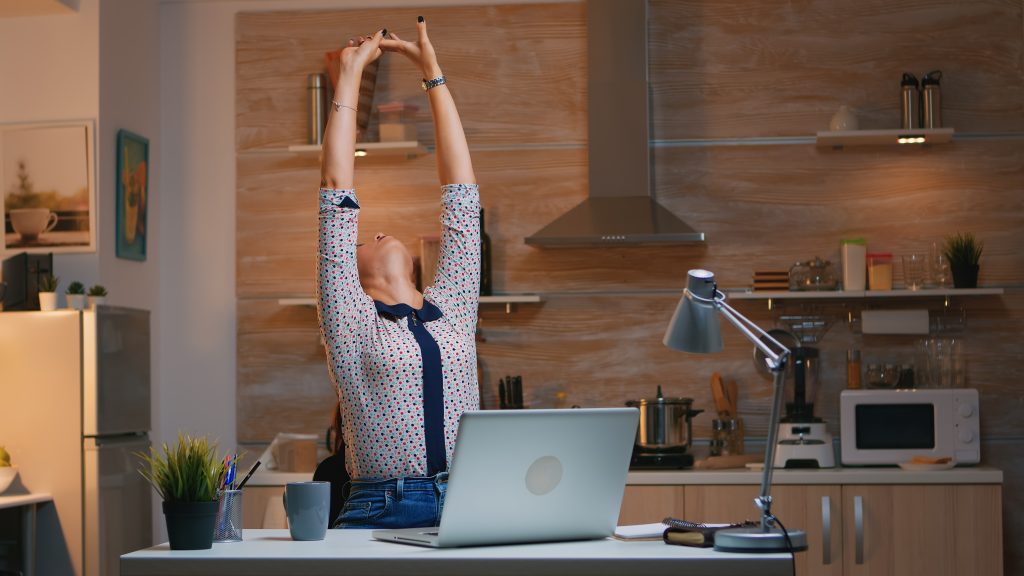
A practical three-minute routine needs to be short enough that you’ll actually do it. Rather than trying to stretch every muscle, focus on movements that reverse some of the positions associated with prolonged computer work.
Spend roughly 30 seconds on each of the following six movements. Move slowly and stay within a comfortable range. If a movement causes pain, dizziness, numbness, tingling, or another unusual symptom, stop rather than trying to push through it.
1. Chin Tucks to Reset Your Head Position
After staring at a monitor for a while, you may notice your head drifting forward relative to your shoulders. Chin tucks provide a gentle way to explore the opposite movement.
Sit or stand tall without forcing your chest upward. Keep your eyes facing forward. Draw your chin straight backward as though you’re trying to create a small double chin. Avoid tipping your head down toward your chest. Hold the retracted position briefly, relax, and repeat slowly for approximately 30 seconds.
The movement should be subtle. Pulling harder isn’t necessarily better. Think about sliding the head backward rather than stretching the neck aggressively.
After finishing, return to your normal sitting position and notice where your head naturally settles. If it immediately moves far forward because you can’t comfortably see the screen, your monitor position or text size may need attention as well.
2. Shoulder Rolls to Move Out of a Static Upper-Body Position
Keyboard and mouse work keeps your arms positioned in front of your torso. Over time, your shoulders may begin to feel tense or elevated, especially during concentrated work. Shoulder rolls introduce movement without requiring you to leave your desk.
Let your arms relax. Slowly raise your shoulders toward your ears, move them backward, lower them, and then bring them forward to complete a circle. Continue smoothly for several repetitions before reversing direction.
Don’t exaggerate the motion to the point of discomfort. The goal is simply to move the shoulder girdle through directions it hasn’t been using while typing.
Try to keep your breathing relaxed as you move. If you notice that your shoulders constantly creep upward again when you return to work, inspect your workstation. Armrests that are too high, a desk that is too high, or a poorly positioned keyboard can encourage unnecessary shoulder elevation.
3. Seated Thoracic Rotations to Mobilize Your Upper Back
Computer work involves very little spinal rotation. Most of the time, your torso remains pointed directly toward the monitor. A seated thoracic rotation introduces gentle movement through the upper and middle portions of the spine.
Sit near the front of your chair with both feet planted comfortably on the floor. Cross your arms over your chest or place your hands lightly on your shoulders. Keeping your hips relatively still, slowly rotate your upper body toward one side. Return to center and rotate toward the other side. Alternate for approximately 30 seconds.
Don’t force yourself to twist farther by pulling against the desk or chair. A comfortable active rotation is enough.
The movement also provides useful feedback. If you consistently turn your body to reach a second monitor, phone, or document holder during work, reorganizing your desk may reduce the amount of repetitive twisting you perform throughout the day.
4. Seated Chest Openers to Counter a Forward-Facing Work Position
Typing, writing, and using a mouse all place your hands in front of your body. A chest-opening movement takes your shoulders gently in the opposite direction.
Sit tall with your feet supported. Allow your arms to move slightly behind your torso while gently drawing your shoulders back and down. If comfortable, turn your palms outward or lightly reach your fingertips behind you. You should feel a mild opening across the front of your chest and shoulders rather than a hard stretch.
Release and repeat several times instead of holding the deepest position for the full 30 seconds. Combining the movement with slow breathing can make it feel more natural. Avoid aggressively squeezing your shoulder blades together. The intention isn’t to replace rounded shoulders with an exaggerated military-style posture. You’re simply exploring a different shoulder position after spending time reaching forward.
When you return to the keyboard, let your shoulders settle naturally rather than deliberately pinning them backward.
5. Standing Hip Extensions to Move Out of Prolonged Hip Flexion
Sitting keeps your hips flexed for extended periods. Standing periodically gives them an opportunity to move into a different position, and a small hip-extension movement can add variety without requiring much space.
Stand behind your chair or beside your desk and use a stable surface for balance if necessary. Keep your torso relatively upright. Move one leg gently backward without dramatically arching your lower back. Return your foot to the starting position and switch sides. Continue alternating for around 30 seconds.
The movement doesn’t need to be large. If your pelvis tilts forward and your lower back arches significantly, you’ve probably moved farther than necessary. Think about the leg traveling backward from the hip while the trunk stays quiet.
This is also a convenient point in the routine to stand fully upright after sitting. Even if your workplace doesn’t allow extended exercise breaks, transitioning between seated and standing positions can introduce valuable variation into your day.
6. Calf Raises to Finish the Mobility Break on Your Feet
The final 30 seconds can focus on your lower legs, which do very little during extended sitting.
Stand tall and lightly hold your desk or the back of a stable chair if you need support. Keeping your feet comfortably positioned, raise your heels from the floor and come onto the balls of your feet. Pause briefly at the top, lower under control, and repeat.
Calf raises are different from the upper-body mobility movements because they introduce a small amount of muscular work as well as joint movement. Your ankles move while your calf muscles repeatedly contract and relax.
Keep the movement controlled rather than bouncing rapidly. Once the three minutes are complete, don’t feel obligated to sit down immediately. If practical, use the transition as an opportunity to refill your water, walk briefly, or complete another task away from the screen.
Why Three Minutes Can Still Be Useful
Three minutes isn’t enough time to fundamentally transform posture, strength, or mobility. That’s also not what a microbreak is designed to accomplish. Its value comes from interrupting a prolonged period of relative inactivity.
A person who takes one three-minute break during an otherwise sedentary eight-hour workday is still spending a substantial amount of time sitting. Someone who uses short movement breaks repeatedly, changes positions, walks when possible, and exercises outside work has a very different overall movement pattern.
The US Department of Health and Human Services’ Physical Activity Guidelines encourage adults to “move more and sit less” while working toward recommended amounts of aerobic and muscle-strengthening activity. That context matters. Desk mobility should be viewed as one component of an active lifestyle, not a substitute for it.
How Often Should You Take a Desk Mobility Break?
There isn’t one universal interval that everyone needs to follow. Your job demands, physical comfort, workstation, activity level, and ability to take breaks all affect what is realistic. Instead of obsessing over an exact timer, look for opportunities to avoid extremely long periods without changing position.
Natural transitions work well. You might move after completing a meeting, sending a major assignment, finishing a focused work block, or returning from a call. These behavioral cues can be easier to maintain than repeatedly dismissing an alarm.
If reminders help, a calendar notification or computer timer can still be useful. Set it at a frequency that encourages movement without disrupting your ability to concentrate.
The three-minute routine doesn’t have to happen every time, either. Sometimes simply standing, walking to another room, or changing your working position is more practical. Consistency matters more than creating a complicated mobility schedule that you abandon after several days.
Your Workstation Still Matters
Mobility exercises can’t compensate for a workstation that consistently forces you into uncomfortable positions.
If your monitor is too low, you may repeatedly angle your head downward. If it’s too far away, you may lean forward to read. A keyboard positioned too far from your body can encourage you to reach, while a chair that doesn’t appropriately support you may make sustained sitting less comfortable.
Start with the equipment you use most. Your monitor should generally allow you to view the screen without repeatedly craning your neck. Your keyboard and mouse should be positioned so you can operate them without excessive reaching. Your feet should have stable support, either from the floor or an appropriate footrest.
Your chair should also allow you to work without constantly fighting its dimensions. Seat depth, height, back support, and armrest position can all influence comfort.
For a deeper setup review, information about proper desk ergonomics, ideal standing desk height, and monitor positioning for better posture can help you address the environment alongside your mobility habits.
When Desk Mobility Isn’t the Right Solution
Ordinary stiffness after sitting is different from persistent or severe symptoms. If you’re experiencing significant pain, symptoms following an injury, persistent numbness or tingling, weakness, dizziness, or pain that travels into an arm or leg, repeatedly stretching the area isn’t necessarily appropriate. Stop any desk mobility move that causes or worsens symptoms.
A qualified healthcare professional can evaluate persistent problems and determine whether your symptoms relate to your workstation, activity, an injury, or another issue requiring individual assessment. Physical therapists can also help identify movements and ergonomic modifications suited to specific limitations. This is especially relevant if discomfort continues despite reasonable changes to your workstation and movement habits.
Desk mobility is best treated as a general strategy for introducing movement during sedentary work. It isn’t a diagnostic tool or treatment plan for an injury.
Make Movement Part of Your Desk Setup
The most effective posture strategy isn’t an expensive chair, a perfect stretch, or a reminder to sit straighter. It’s creating an environment and routine that make movement easier.
Keep frequently used equipment positioned comfortably, but don’t assume everything needs to be reachable without leaving your chair. Placing your water away from the desk, standing during appropriate phone calls, walking to speak with a colleague, or occasionally changing working positions can naturally break up sitting.
If you use a sit-stand desk, alternate between positions rather than treating standing as the new posture you need to maintain for hours. Standing still is still relatively static. Your three-minute desk mobility moves can fit between those larger changes. Use chin tucks, shoulder rolls, thoracic rotations, chest openers, hip extensions, and calf raises when you’ve been sitting long enough to feel stiff or when you need a physical reset between work blocks.
Improving posture doesn’t require holding yourself perfectly upright from morning to evening. A more sustainable approach combines a supportive workstation, regular physical activity, strength and mobility work, and frequent changes in position. Three minutes won’t replace those habits, but it can make movement easier to build into a desk-bound day.